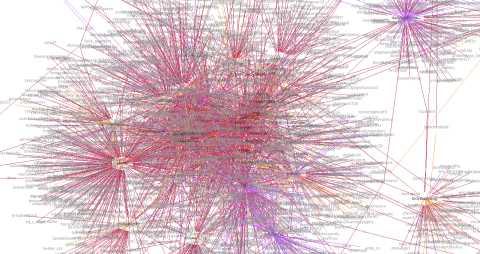
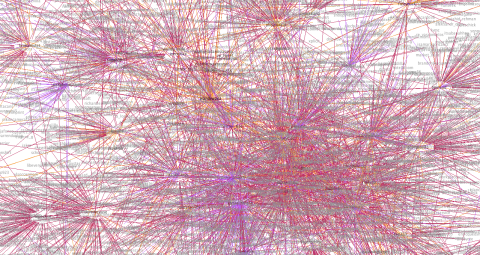
Author: Cate

  • Twitter Graphs

    UPDATE 9/10: Insight into how this works and the rationale behind this in this post.

    So after my last post I received a couple of graph requests.

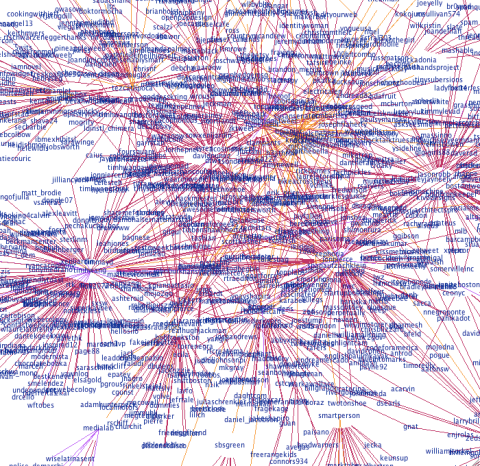
    Here’s @map_maker‘s, see how I’ve added the directionality. This one took a long time to build. She talks to a lot of people who talk to a lot of people…
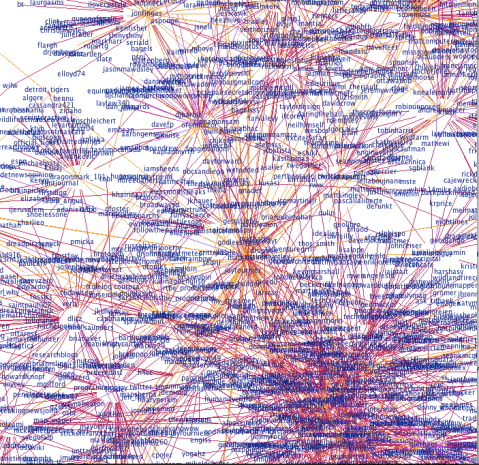
    @map_maker's Network
    @map_maker's Twitter Conversation Network

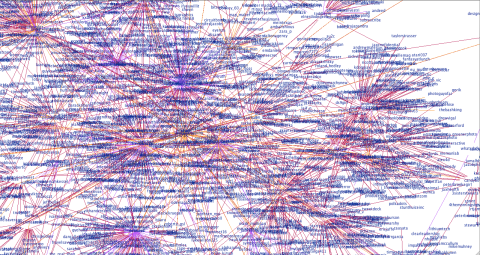
    And @emdaniels.

    @emdaniels Twitter Network Graph
    @emdaniels Twitter Conversation Network

    This is my boyfriends, @theAlMan. He doesn’t talk to that many people, so I dared to go to a depth of 2.

    @theAlMan
    @theAlMan's Twitter Conversation Network: Depth 2

    My very popular neighbor, @snookca (depth 1 again). He caused a stack overflow…

    @snookca's Graph
    @snookca's Twitter Conversation Network

    @Circuitbomb (depth 1).

    @Circuitbomb's Conversational Twitter Network
    @Circuitbomb's Twitter Conversation Network

    @uOttawaWISE – we’ve not been on Twitter long, but our network is growing! Also – because this one is fairly small you can see the connections really nicely.

    @uOttawaWISE Twitter Network Graph
    @uOttawaWISE Twitter Conversation Network

    @bitswt02

    @bitswt02's Twitter Conversation Network
    @bitswt02's Twitter Conversation Network

    @chrisboivin:

    @chrisboivin's Twitter Conversation Network
    @chrisboivin's Twitter Conversation Network

    @jaxama:

    jaxama
    @jaxama's Twitter Conversation Network

    @cheth (another one to cause a stack overflow!):

    @cheth's Twitter Conversation Network
    @cheth's Twitter Conversation Network

    @sparkyourart (another stack overflow!):
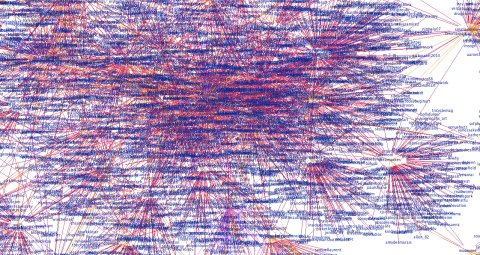
    @sparkyourart's Twitter Conversation Network
    @sparkyourart's Twitter Conversation Network

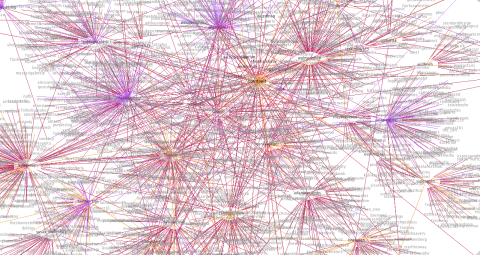
    Sorry for the delay – I’ve been tweaking my algorithm to produce more balanced graphs. It now takes your last 200 tweets and last 100 mentions (due to search limitations this means there will not be any older than a week) and finds the oldest ID in each set. Then it takes the maximum of these and ignores any tweets older than this ID. I’ve also added node distance coloring, so that the central node is darkest and nodes further from the central node are lighter.

    Here’s how my graph looks now (let me know what you think!):
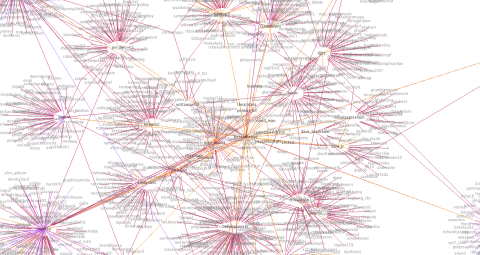
    My Twitter Conversation Graph with distance coloring and algorithm modifications
    My Twitter Conversation Graph with distance coloring and algorithm modifications

    So, @velvetescape and @velvetconnect come next. After hitting the API limit a couple of times (even after I’d tweaked the algorithm – @velvetescape talks to and about a lot of people) I had to do these a little differently. For @velvetescape I changed the depth to 0 so it’s just him and the people he talks to and who talk about him. For someone with this much conversation going on, though, I think it shows it pretty nicely.

    @velvetescape's Twitter Conversations - Depth 0
    @velvetescape's Twitter Conversations – Depth 0

    For @velvetconnect I just changed the number of recent tweets I request from the API. Normally I get 200 most recent tweets and the last 100 (or week) of mentions but this just wasn’t feasible so I cut these both in half.
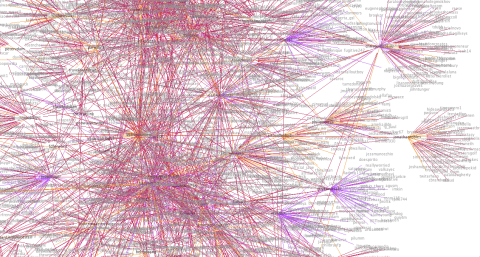
    @velvetconnect's Twitter Conversation Network (reduced data from API)
    @velvetconnect's Twitter Conversation Network (reduced data from API)

    @EarleyDaysYet:

    @EarleyDaysYet's Twitter Conversation Network
    @EarleyDaysYet's Twitter Conversation Network

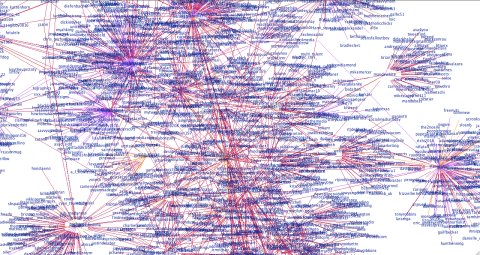
    @jdemond‘s is below. This one is nice – you can really see he’s part of two distinct networks, and that the network to the right has some sub-networks going on.

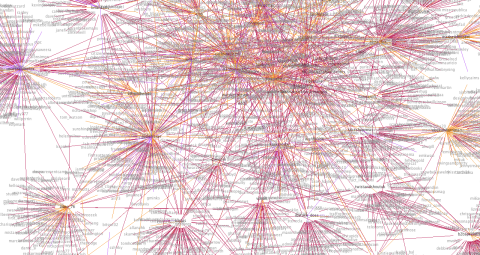
    @jdemond's Twitter Conversation Networks
    @jdemond's Twitter Conversation Network

    @tipexxed:

    @tipexxed's Twitter Conversation Network
    @tipexxed's Twitter Conversation Network

    @boristopia:

    @boristopia's Twitter Conversation Network
    @boristopia's Twitter Conversation Network

    @CozyCabbage:

    @CozyCabbage's Twitter Conversation Network
    @CozyCabbage's Twitter Conversation Network

    @LALALAMBRIT:

    @LALALAMBRIT's Twitter Conversation Network
    @LALALAMBRIT's Twitter Conversation Network

    @wandywanz:

    @wandywanz Twitter Conversation Network
    @wandywanz Twitter Conversation Network

    @dlitz:

    @dlitz's Twitter Conversation Network
    @dlitz's Twitter Conversation Network

    @KristinaThorpe – this one was interesting! I didn’t hit the API limit but I did run into problems with the visualization engine that prevented it from rendering – not sure why, but I think it may be due to the graph being very densely connected. I reduced the API data by 25% (last 150 tweets, last 75 mentions) and that fixed it!

    @KristinaThorpe's Twitter Conversation Network
    @KristinaThorpe's Twitter Conversation Network

    Graphs continued on this page.

    If you want your graph done, let me know via Twitter or in the comments and I’ll put it up here for you. Feel free to use the image anywhere you’d like (ask me for a higher quality one if you need to), but please link back to this! Thanks 🙂

  • Visualizing Your Twitter Network

    Visualizing your Twitter Network

    This is what I’ve been working on lately – it graphs who you’re having a conversation with on Twitter (and who they’re having a conversation with). I’ve got some more stuff to add to it, but I’m pretty happy with how little time this has taken (coding time, perhaps 10 hours?).

    There were 3 phases to this mini-project.

    Phase 1: API calls to Twitter to get the data. This tutorial and code sample was helpful, as was the Twitter API documentation.

    Phase 2: Converting to GraphML. Pretty easy once I’d read the GraphML Primer and with the use of the W3 Schools XML validation.

    Phase 3: Visualize. Something that Prefuse makes incredibly easy, this graph is a modification of their example.

    Next

    • It’s a directed graph, and I want to color-code the edges so that conversations going out are a different color from those going in (and different again from reciprocal relationships).
    • I need to balance the conversations, at the moment it takes your last 200 tweets and last 200 mentions which obviously potentially skews the graph in both directions depending on the user.
    • I want to be able to define the depth. I think a depth of 3 is practical, but as it grows exponentially probably not more than that.
    • Then I’ll be working to turn it into a web applet so you can see your graph, too.
  • Why Twitter Isn’t a Pointless Waste of Time

    I love Twitter, but a lot of people seem to think it’s completely pointless. So I find myself having these conversations where I try and convince people it’s not completely stupid, actually I’ve even convinced a couple of them to give it a go. I’ve laid out my arguments below.

    Information Gathering

    There are tons of interesting people on Twitter, and you can have the news you want delivered right to your stream. The best way to leverage this aspect of Twitter is to follow people who tweet links to stuff you should know about – saving you the time of going out looking for it. Services like TweetMeme and TechMeme will ensure you hear about what’s generating a buzz too. If you’re sharing stuff, it’s less intrusive (and quicker!) than Facebook. I think it’s the one way nature of relationships lowers the barrier to creating a relationship, and you can always unfollow someone later if what they’re saying no longer interests you.

    Nice post about how “breaking news” can help your career here.

    Ambient Awareness

    I think it was O’Reilly’s The Twitter Book that said, if you don’t find someone’s food tweet interesting, it’s not for you. Honestly, there’s few – if any – people whose food tweets I care about! However I like that random aspects of my friends lives appear in my stream. They may not matter to many people, but living on another continent from most of the people I know I like this non-intrusive and low-effort way of keeping in touch with what they’re up to.

    Yes, Facebook has this too. But for things like geographically disparate work teams Twitter seems more appropriate. If I started work tomorrow on such a team and the people I worked with were on Twitter, I’d start following them right away. But it would take me much longer to connect on Facebook, if I did at all. Also the less-invasive nature of Twitter means that I’m happy to post multiple times a day, however I typically change my Facebook status less than 4 times a week.

    I love this article on ambient intimacy.

    Conversations

    According to Twanalyst, 55% of my tweets are conversation. I like the balance between real time and asynchronous conversation. Sometimes I have near real-time conversations with my friends, however if someone sends me an @ message after I’ve gone to bed – it’ll still be there the following morning and it’s OK to respond then. I can DM my friends if it’s important (or private) and if one of them DM’s me it goes to my cellphone and email. It’s like texting, but faster. And your other friends can see what you’re saying too and comment – good if you’re trying to organize a get together.

    And, of course, you can get into conversations with people you don’t know that well in real life too, which is cool. One of my friends, I met a conference and we got talking on Twitter – now we hang out in real life. I met one of my neighbors in the lift but then we connected on Twitter so when he tweeted something about not knowing what to cook for one, I invited him over for dinner.

    Customer Relationship Management

    If you’re a business, this is massive. Suppose a customer and their friend leave your store/restaurant and they’re not happy with the service they received. If you’re passionate about the service your customers receive you’d want to know what they were saying, wouldn’t you? Twitter means sometimes you can. That’s huge! If you license out a franchise and a lot of people in an area are complaining, you can start evaluating who you’ve leased your brand name to. On the up side, if people have a great experience they’ll be tweeting about that too. If you’re an online business, your word of mouth is so important as to whether customers will trust you – how much advertising is equivalent to one positive tweet from a highly connected individual?

    I wrote about this more in this post.

  • Internet Addiction

    I’m concerned I may be addicted to the internet. Yesterday there were various news articles about a study from Taiwan and we have a list of symptoms (emphasis added):

    Internet addiction is usually characterized with symptoms such as spending a lot of time online, an inability to cut back on usage, a preoccupation with online activities, and symptoms of withdrawal such as anxiety, boredom, or irritability after a few days of not going online.

    According to this, then I’m addicted to the internet. Mind you, so is everyone else I know.

    It seems to me though, that saying someone is addicted to the internet is the equivalent of saying that someone’s addicted to electricity, or running water, or public transport. An internet connection is part of the infrastructure of the average household. It’s something people reasonably expect to have, everywhere they go.

    When I was in Hakuba (Japan) the guy at the desk of the worst hotel I’ve ever stayed in, told me there was “no internet in all Hakuba”. I freaked out. I rely on the internet for work, for communication, and yes for entertainment too. I also find it fascinating that I had this experience in Japan – which is somewhere I think of as, and found apart from this to be uber-connected and high-tech – but never in China.

    So I dispute that you can be addicted to the internet. I feel it’s more akin to obesity, which isn’t so much an addiction to food as an inability to manage the necessary consumption of it. But I do think you could be addicted to things you find on the internet – Facebook, games, pornography. So the question this leaves me asking is – are these children addicted to something specific, or just not able to manage their consumption?

  • Information -> Data -> Meaning

    Clay Shirky wrote about this in Here Comes Everybody; the arrival of the printing press and how it changed everything. To summarize: when the printing press was invented the Church flipped out because they realized that they would no longer be in control of the information (namely, the Bible) that people had available to them. And they complained that this would lead to the death of scribes, which of course it did, and various other things. However to alert people to how terrible the printing press was as an invention, they had to use a printing press. Becaue scribes couldn’t produce enough copies at a fast enough pace.

    Of course the Church lost that battle, and the number of different books rapidly increased.

    So not that long ago, humans had very little information – the Bible was their primary source, and it was read to them and interpreted for them, and they had few other options other than to follow it blindly. Then we had the printing press, and there were books and the number of books grew rapidly until it was soon more than any person could read in a lifetime. And now, we have the internet and every day more content is produced and we have no hope keeping up with it all.

    It’s amazing, how we can go from a place of so little information to too much. But here’s where I think we’ll go next – we’ll be able to manage this information because computers will get better at harvesting it, and it’ll become easier and easier to visualize it using tools like Wordles (nice example here) and mashups (Google’s medal mashup from the 2008 Olympics is a nice example). In fact, visualizing this data can be an Installation, as in I Want You To Want Me.

    Smashing Magazine has a list of resources for Data Visualization and Infographics here. The more mainstream it gets, the better we’ll be able to manage all this information and pull the important points from it. In fact, we don’t even have to be able to visualize it! For instance, TweetMeme and TechMeme keep track of what links are being shared a lot on Twitter and deliver them right to your Twitter or RSS feed. So I don’t have to try and see everything that’s shared on Twitter, I can just keep track of what’s popular – much more achievable!

    At the moment I’m working on Visualizing something that I think will show something interesting… more soon!

  • 15 Tools to make University Easier

    Subtitle: Things that Universities should tell you about, but often don’t.

    I’m in my 6th year at university now, and over the course of it I’ve assembled my suite of tools that maximize my productivity. When I meet people from outside of Computer Science, I’m always amazed that they haven’t heard of so many of these; so I’ve been inspired to create a list of things that I find really useful and hope you will too. If there’s anything you feel I’ve missed out – post it in the comments!

    Collaboration Tools

    Chances are, at university you’ll be doing some group work. You’ll spend ages trying to find a meeting time that works for everyone, someone won’t turn up, and at the end of the meeting you’ll wonder why you bothered having it in the first place. Unless – you use the internet to collaborate online, synchronously or asynchronously and minimize meetings whilst keeping everyone on the same page. Here are some things that can help.

    1. Online calendars. Google Calendar allows you to share with others – when you’re trying to coordinate your schedule for group projects or voluntary work you’ll be grateful for this.
    2. Google docs. Again, great for collaboration. Also, check out the widgets in the spreadsheets. You can create the awesome gapminder charts as seen in this great video from TED. It’s easier than making your own wiki (but that’s an option too).
    3. Google Wave. This will revolutionize communication and collaboration. It’s hard to get in right now but put out the word you’re interested and hopefully when someone you know gets an invite they’ll pass it along to you. If you need it now, LifeHacker has a list of alternatives here.

    Organizational Tools

    Poor organization is a big time sink. Staying on top of things will make your life much easier, promise! Here are some things that can help.

    1. Zotero is awesome for keeping track of your references and things you’ve read. Universities will often tell you to use Endnote or Ref Works because it’s “free”, but it’s not! When you graduate you’ll have to either find an alternative or loose everything. Zotero is free as in “free and open source”. And free as in cost (unless you end up needing extra storage).
    2. Todo Lists. There are loads of great, free tools out there to help you manage what you need to get done – Remember The Milk is a popular one. I find it helpful to set recurring daily tasks such as “Read a paper” so that I stay on top of what’s happening in my field.
    3. Open Office. Need an office suite? Open Office is a great substitute for MS Office and what’s more – it’s free (and open source). Whatever you’re using, though, learn what a cross-reference is and use it – once you know it, it’ll save you time and you won’t hand anything in with two “Figure 3″‘s.
    4. Keynote. If you’re giving presentations on a mac, don’t use Powerpoint! Keynote makes much nicer slides. I’ve spent too much time at university sitting through bad presentations loosing the will to live. Don’t do that to your peers. Take the time to read Presentation Zen, buy Keynote, and start impressing people. Given the low bar, it won’t even be that hard.

    It’s What You Know – Information Gathering

    I know, it can be hard just to keep up with the stuff we have to do for class etc. However, dedicating a little time every day to keeping on top of what’s going on will pay dividends in terms of being better informed, having more to talk about, and more ideas when put on the spot to think of one. I.e. instead of spending a week before your job interview reading all the career advice you can get your hands on, why not read a little bit a week? Rather than spending days thinking of a project for class, why not spend a little time keeping up with your field and keeping a list of ideas that you’d work on, given time?

    1. Blogs are an easy way to keep up with what people in your field are doing, and often people blog before they publish. What about other topics you’re interested in? Blogs can be a valuable resource for career advice or other fields that you’re interested in. Keep track of them on Google Reader or similar.
    2. Amazon. The Amazon recommendation system is phenomenal; it will recommend good books for you on the basis of what you’ve read (and will say what it’s basing it on). Read around your subject, and read books that aren’t strictly relevant – they may be really useful! Recently I’ve read Freakonomics, The 7 Habits of Highly Effective People, and Presentation Zen. None of them are particularly relevant to what I work on but they’ve all been helpful in their own way. You have time – if you make it – reading a chapter a day won’t take that long and will get you through a lot of books.
    3. TED Talks. These are by leaders in their field and are under 20 minutes. There’s no excuse not to find time to watch some of these. Go to www.ted.com and get watching! Particularly good ones. – Hans Rosling on stats that blow your mind, Ken Robinson on how education kills creativity. and Clay Shirky on social media making history.
    4. Are you in business but not reading Business Week, or The Economist? Are you in Science and not reading Nature? Why not? Are you reading something else instead?
    5. Google Scholar. Searches academic papers, includes the ones hosted on researchers personal websites etc so you can get draft versions before they’re published. It searches the portals like ACM and IEE, so there’s no need to visit them all individually. Also, you can import references from Google Scholar straight into Zotero.
    6. Twitter. Keep up with leaders in your field and other people you find interesting in 140 characters or less. You don’t have to tell people what you’re having for lunch, and you can talk about what you’re working on, and ask questions. I find Twitter particularly useful for crowd-sourcing the news that’s worth reading through services like TweetMeme, and following people whose opinion I respect.

    It’s Who You Know – Managing Your Online Presence

    Accept that when you apply for a job (or even just go on a date) you’re going to be Googled. What will they find? Your Facebook summary with the profile picture of you getting drunk last weekend? Or have you built up a professional profile that will show up as well? Facebook is fine – although I would rethink that photo…

    1. Brazen Careerist and LinkedIn. Set up profiles and start building your contact list and recommendations now, not when you need a job.
    2. Do you have your own blog? WordPress is easy to use and has some lovely designs. Blogger is good too. If you’re a grad student especially, it’s a great way to share what you’re working on. If you’re a student group, it’s a great idea to use a blog to keep in touch with your members. Check out our blog for uOttawaWISE as an example.
    3. Twitter (again) – what are you sharing on Twitter? Useful and interesting articles relevent to your industry? Good for you!
  • Week in Brief

    For this week my goals were:

    • Clubs week for WISE
    • Organize movie night (try and delegate)
    • TA in French, don’t meltdown
    • Incorporate giant pile of papers into Introduction
    • Polish introduction such that I can send it to my supervisors
    • Coding: phase 1 ended up coding something different, but I’ve made significant progress on it
    • Assignment 1, Combinatorial Algorithms
    • Finish reading Presentation Zen
    • Read 6 papers from “the pile”
    • Fix CSS on portfolio website
    • 2 blog posts
    • Get a hair cut (having a Bad Hair Life right now)

    I also:

    • Met with my core team from WISE, talked about managing expectations and outlined plans for two important events coming up.
    • TA’d my first lab (on a Saturday, it was dull)
    • Blogged more than usual.
    • Got into Google Wave (it’s awesome!)
    • Went swimming, for the first time since I wrecked my knee

    Things are starting to settle down and I’m hoping next week I’ll run around less. Also, I’ve been setting completely unrealistic goals for the week so I’m going to have a go at being more realistic.

    • Finish coding current mini-project
    • Write more on thesis, get to the point where papers can be integrated
    • Finish Combinatorial Algorithms assignment
    • Meet with CA prof to talk about project
    • Read 4 papers
    • Read thesis – “Networking in Everyday Life”
    • 2 blog posts
    • Portfolio website – add all pages and finish home page
    • Write overview for soon to be announced WISE project
    • Write blog post for project
  • Passive Aggressive

    I went to therapy today. Perhaps I shouldn’t admit that in a public forum, but I hope those of you that read this don’t think that seeking help when you’re struggling is something to be ashamed of. I’m not going to go into the details of what caused me to end up going to see a stranger and declaring “I feel like I’m loosing my mind”, suffice to say that I was entangled in the web of a passive aggressive.

    Passive aggressive behavior is really hard to deal with. It’s acts of manipulation, done quietly so that you barely realize you’re being manipulated at all – until you notice that things that mattered to you have disappeared from the agenda, your social circle has shrunk and why is it that you’re living your life at someone else’s beck and call? I woke up to this, but some of the people around me hadn’t – they were still being manipulated. And so I started to doubt myself, was it me that had the problem? Was I being unreasonable? Therapy reassured me I wasn’t. In effect, I’m paying $100 every six weeks for someone to listen to my complaining and give me impartial advice. Here’s some of what I’ve learned.

    Identify

    Before I found myself in therapy, I didn’t know what passive-aggressive meant. If you don’t either, Wikipedia is a good place to start. Sound like anyone you know?

    Avoid

    Obviously if your boss is passive aggressive, you’re going to either have to find a new job or learn how to deal. If it’s someone who won’t modify their behavior, for instance a “friend” who as a result isn’t their passive aggressiveness isn’t really, your lab partner, or a coworker… it’s different. Dealing with a passive aggressive is exhausting, so if you can avoid them – do.

    Manage

    A passive aggressive might seek to “Divide and Conquer”, so if you hear something from a passive aggressive about someone else, it’s worth speaking to that someone to find out what’s going on there. Why would they do that? Because the bigger the group, the harder it is to manipulate. By splitting you up, the passive aggressive makes you vulnerable to their manipulation. For this reason, it’s best to avoid being alone with a passive aggressive. I lost count of the times when I agreed to or offered something when alone or on the phone to the passive aggressive and my boyfriend said, “why would you agree to / offer that?” and I didn’t really know.

    Passive aggressives often can’t believe they’re at fault; it’s always someone else behaving unfairly or putting on them in some way. This makes it hard to present a more balanced world-view to them. In my case, I know I’ve been cast as the bad guy and been complained about. The fact that I would admit some fault where she surely doesn’t has no doubt worked against me. That has been very upsetting, however I hope my integrity, intentions and the strength of my other relationships speaks for me. If someone’s never at fault, never in the wrong – but frequently wronged – doubt them. No-one is that perfect.

    Ironically, the best way to deal with a passive aggressive is to be passive aggressive in return. I don’t enjoy that, but it can be a useful skill to have. For instance, when you passive aggressive lab partner tries to get you to do the bulk of your joint report be passive aggressive back; tell them you could but you’d have to work on it at 12pm because that’s when you usually do, or that you’re really busy this week and won’t do a good job.

    Note – passive aggressiveness can be a healthy behavior in some situations – what I’m talking about here is when it’s taken to excess and becomes a way of life.

  • Happiness is… being a Connector

    Marcus Buckingham is writing a great series at HuffPost at the moment exploring why women are less happy. You can find all the articles here.

    What The Happiest And Most Successful Women Do Differently – gave me the most to think about, although others have too (did you know – having children correlates with less happiness?). There’s also a test you can take. Here’s my result:

    Your Lead Role
    Weaver

    Weaver

    You begin by asking:
    ‘Who can I connect?’

    You see the world as a web of relationships, and you are always excited by the prospect of connecting two new people within your web.

    Your best quality:
    Your genuine curiosity

    Always:
    Trust in your web of relationships

    Be careful you:
    Don’t push people together who shouldn’t be

    Your smartest career move:
    Any job where you’re paid to speed up the connection between people.

    This is fairy accurate. One of the girls from WISE was saying last night, “You’re such a connector, Cate” – which I consider the biggest compliment I’ve had lately. I’m not as connected as I aspire to be, but I’m getting there. I’ve embedded the widget below. Take it! What does it say about you?

    [clearspring_widget title=”The Strong Life Test for Women” wid=”4a6e274b799f5199″ pid=”4ac92dbdbbc152a5″ width=”200″ height=”450″ domain=”widgets.clearspring.com”]

    Honestly, I don’t spend a lot of time thinking about happiness – mostly I’m too preoccupied getting on with things. But this series validates that this approach is the right one, if it’s working for me. My life is not in balance, but that’s OK. I don’t want children, and people find it weird – but statistically if I keep with that I’m likely to be happier. I say “yes” – and this has put me in difficult situations, but it’s also pulled me out of my comfort zone and given me amazing opportunities. And even though every day I feel pulled in half-a-dozen or more different directions, I’m pretty happy.

    If you look at the questions they ask, it’s interesting. There’s this idea that women are less happy because we’re setting ourselves unrealistic expectations, but they don’t ask about that.

    1.  How often do you get to do things you really like to do?
    2. How often do you find yourself actively looking forward to the day ahead?
    3. How often do you get so involved in what you’re doing you lose track of time?
    4. How often do you feel invigorated at the end of a long, busy day?
    5. How often do you feel an emotional high in your life?

    It’s not, “do you feel inadequate when you compare yourself to someone on the cover of a magazine?” – of course we do, even though they’re airbrushed! It’s about how we feel when we get up in the morning, and how passionate are we about what we’re doing.

    So – lets love what we’re doing, be passionate, and say yes to every opportunity that comes our way.