Tag: ios

  • Creating Test Images and Comparing UIImages

    Creating Test Images and Comparing UIImages

    IMG_7749

    I’ve been working on this app which relates to my obsession with color. It’s an image processing app, and you can see some pictures made with it on our Tumblr.

    This involved learning about how to take images apart and put them back together, rewriting a lot of stuff in C for performance, etc. But one of the other problems I faced was a question of how to test things involving images? How do I create test images? And how do I compare them?

    Creating Test Images

    The simplest way to do this is to to draw the image into context. This is super not performant, so isn’t really viable for much other than small test images, but does work.

    I have three little helper functions that create some test images that I can work with.


    // Make an image all of one size, in whatever color.
    + (UIImage *)createTestImageWithWidth:(CGFloat)width
    height:(CGFloat)height
    color:(UIColor *)color {
    CGRect rect = CGRectMake(0, 0, width, height);
    UIGraphicsBeginImageContext(rect.size);
    [color set];
    UIRectFill(rect);
    UIImage *testImage = UIGraphicsGetImageFromCurrentImageContext();
    UIGraphicsEndImageContext();
    return testImage;
    }
    // Create a 3×3 image alternating between two colors.
    + (UIImage *)createTestImageNineQuadrantsWithColor1:(UIColor *)color1
    color2:(UIColor *)color2 {
    // Create an image with 4 quadrants of color.
    CGRect rect = CGRectMake(0, 0, 3.0, 3.0);
    UIGraphicsBeginImageContext(rect.size);
    [color1 set];
    UIRectFill(CGRectMake(0, 0, 1, 1));
    UIRectFill(CGRectMake(2, 0, 1, 1));
    UIRectFill(CGRectMake(1, 1, 1, 1));
    UIRectFill(CGRectMake(0, 2, 1, 1));
    UIRectFill(CGRectMake(2, 2, 1, 1));
    [color2 set];
    UIRectFill(CGRectMake(1, 0, 1, 1));
    UIRectFill(CGRectMake(0, 1, 1, 1));
    UIRectFill(CGRectMake(2, 1, 1, 1));
    UIRectFill(CGRectMake(1, 2, 1, 1));
    UIImage *image = UIGraphicsGetImageFromCurrentImageContext();
    UIGraphicsEndImageContext();
    return image;
    }
    // Create a 2×2 image with each quadrant a different color.
    + (UIImage *)createTestImageWithFourColors {
    // Create an image with 4 quadrants of color.
    CGRect rect = CGRectMake(0, 0, 2.0, 2.0);
    UIGraphicsBeginImageContext(rect.size);
    [[UIColor redColor] set];
    UIRectFill(CGRectMake(0, 0, 1, 1));
    [[UIColor greenColor] set];
    UIRectFill(CGRectMake(1, 0, 1, 1));
    [[UIColor blueColor] set];
    UIRectFill(CGRectMake(0, 1, 1, 1));
    [[UIColor blackColor] set];
    UIRectFill(CGRectMake(1, 1, 1, 1));
    UIImage *image = UIGraphicsGetImageFromCurrentImageContext();
    UIGraphicsEndImageContext();
    return image;
    }

    view raw

    ImageDrawer.m

    hosted with ❤ by GitHub

    The other thing I have is a function that turns an array of UIColors into an image. This is a bit more complicated, but helpful for some tests.


    // Create an image from an array of colors.
    + (UIImage *)createImageWithPixelData:(NSArray *)pixelData width:(int)width height:(int)height {
    CGColorSpaceRef colorSpace = CGColorSpaceCreateDeviceRGB();
    // Add 1 for the alpha channel
    size_t numberOfComponents = CGColorSpaceGetNumberOfComponents(colorSpace) + 1;
    size_t bitsPerComponent = 8;
    size_t bytesPerPixel = (bitsPerComponent * numberOfComponents) / 8;
    size_t bytesPerRow = bytesPerPixel * width;
    uint8_t *rawData = (uint8_t*)calloc([pixelData count] * numberOfComponents, sizeof(uint8_t));
    CGContextRef context = CGBitmapContextCreate(rawData,
    width,
    height,
    bitsPerComponent,
    bytesPerRow,
    colorSpace,
    (CGBitmapInfo) kCGImageAlphaPremultipliedLast);
    CGColorSpaceRelease(colorSpace);
    int byteIndex = 0;
    for (int index = 0; index < [pixelData count]; index += 1) {
    CGFloat r, g, b, a;
    BOOL convert = [[pixelData objectAtIndex:index] getRed:&r green:&g blue:&b alpha:&a];
    if (!convert) {
    // TODO(cate): Handle this.
    NSLog(@"Failed, continue");
    }
    rawData[byteIndex] = r * 255;
    rawData[byteIndex + 1] = g * 255;
    rawData[byteIndex + 2] = b * 255;
    rawData[byteIndex + 3] = a * 255;
    byteIndex += 4;
    }
    CGImageRef imageRef = CGBitmapContextCreateImage(context);
    UIImage *newImage = [UIImage imageWithCGImage:imageRef];
    CGContextRelease(context);
    CGImageRelease(imageRef);
    return newImage;
    }

    view raw

    ImageMaker.m

    hosted with ❤ by GitHub

    Comparing Images

    This leads me to the question of comparing images. For my purposes (and the app is heavily focused on colors), I can determine if things have worked by comparing two color arrays. I could compare the rawData but  I want to abstract it away a bit to make my tests clearer. So I have another function that is basically the inverse of the one above, which extracts an array of pixels from an image.

    Turning images into arrays of UIColors and vice versa is so-so performance-wise, and UIColors have a huge space overhead compared to the rawData array. It’s fine for testing, for very small images or a proof of concept, but not much more than that.


    // Turn an image into an array of UIColors.
    + (NSArray *)pixelsForImage:(UIImage *)image {
    NSUInteger width = [image size].width;
    NSUInteger height = [image size].height;
    NSUInteger count = width * height;
    NSMutableArray *result = [NSMutableArray arrayWithCapacity:count];
    CGColorSpaceRef colorSpace = CGColorSpaceCreateDeviceRGB();
    // Add 1 for the alpha channel
    size_t numberOfComponents = CGColorSpaceGetNumberOfComponents(colorSpace) + 1;
    size_t bitsPerComponent = 8;
    size_t bytesPerPixel = (bitsPerComponent * numberOfComponents) / 8;
    size_t bytesPerRow = bytesPerPixel * width;
    uint8_t *rawData = (uint8_t*)calloc(count * numberOfComponents, sizeof(uint8_t));
    CGContextRef context = CGBitmapContextCreate(rawData,
    width,
    height,
    bitsPerComponent,
    bytesPerRow,
    colorSpace,
    (CGBitmapInfo) kCGImageAlphaPremultipliedLast);
    CGColorSpaceRelease(colorSpace);
    CGImageRef cgImage = [image CGImage];
    CGContextDrawImage(context, CGRectMake(0, 0, width, height), cgImage);
    int byteIndex = 0;
    for (int i = 0 ; i < count ; ++i) {
    CGFloat red = (rawData[byteIndex] * 1.0) / 255.0;
    CGFloat green = (rawData[byteIndex + 1] * 1.0) / 255.0;
    CGFloat blue = (rawData[byteIndex + 2] * 1.0) / 255.0;
    CGFloat alpha = (rawData[byteIndex + 3] * 1.0) / 255.0;
    byteIndex += 4;
    UIColor *color = [UIColor colorWithRed:red green:green blue:blue alpha:alpha];
    [result addObject:color];
    }
    CGContextRelease(context);
    free(rawData);
    return result;
    }

    Then with two arrays I can just loop through and compare.


    – (void)compareColorArrayRGBs:(NSArray *)array toExpected:(NSArray *)expected {
    XCTAssertEqual([expected count], [array count]);
    for (int i = 0; i < [expected count]; i++) {
    UIColor *color = [array objectAtIndex:i];
    UIColor *expectedColor = [expected objectAtIndex:i];
    CGFloat r, g, b, a;
    CGFloat eR, eG, eB, eA;
    [color getRed:&r green:&g blue:&b alpha:&a];
    [expectedColor getRed:&eR green:&eG blue:&eB alpha:&eA];
    XCTAssertEqualWithAccuracy(r, eR, 0.005);
    XCTAssertEqualWithAccuracy(g, eG, 0.005);
    XCTAssertEqualWithAccuracy(b, eB, 0.005);
    XCTAssertEqualWithAccuracy(a, eA, 0.005);
    }
    }

    view raw

    ImageAsserts.m

    hosted with ❤ by GitHub

  • Getting KIF Set Up

    Getting KIF Set Up

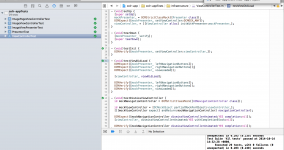
    Kif tests running

    Continuing my obsessive testing strategy, I had to set up KIF for UI Automation Tests. Honestly it’s surprising I didn’t do it earlier, but since the UI is very simple I was getting better ROI doing unit tests – I see KIF as a sanity check, not as a way to debug anything.

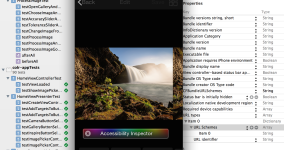
    Step 1: I went through the app with the Accessibility Inspector on and made sure everything had an accessibility label.

    Step 2: I made a new test target for KIF tests, and made sure it ran OK. I made a mistake at first and created a Mac testing bundle rather than Cocoa touch (I don’t know why it was even on that screen, I have never made a Mac anything).

    Step 3: Added KIF as a submodule.

    Step 4: Followed these instructions (which are very good).

    Step 5: Trying to debug baffling error messages about pulling in SenTestCase which shouldn’t be required because I’m using XCTest (the default). Adding it as a dependency out of desperation, getting duplicate symbol errors. Some time figuring out what an #ifndef does (basically – if defined). Feeling very discouraged.

    Step 6: Pair programming (or, pair-debugging). In desperation, as we have no other ideas, I delete the (theoretically unused) OCUnit targets. Everything works. I am enraged. We are both confused.

    Step 7: Check in time! Oh wait, it’s not, because I have edited a submodule.

    Step 8: Fork KIF. Delete the two OCUnit targets again (here’s the repo if anyone else needs such a thing).

    Step 9: Replace the official submodule with my submodule. Realize I now need to keep these in sync. Forever. Why do we programming.

    Step 10: Sync. Everything works again.

    Step 11: Write some KIF tests. This takes approximately 5% of the time I spent on getting everything set up.

    Step 12: Go to the gym for several hours. Forget what happened.

    Step 13: Next thing on the TODO list.


  • #iOSDevUK: Steve Scott: Sherlocked! Deprecated! Changed! AKA “Do Apple Hate Developers?”

    #iOSDevUK: Steve Scott: Sherlocked! Deprecated! Changed! AKA “Do Apple Hate Developers?”

    rose tinted glasses
    Credit: Flickr / derekgavey

    Helpful to take a step back and see where we are.

    We all tend to view the world through rose tinted glasses. Depend to look through a lens that colours what we are seeing. Unless take them off, hard to see what the situation is.

    Glasses worn by iOS is “we are indie devs”. Sense in community, the little guy, hacking away on the porch or in the evening. Stood for a long time, back when it was actually true. Now maintained even though probably one of the biggest communities of devs in the world.

    Not unreasonable. Vast majority of companies producing apps are very small. Even “big” less than 30-40 people.

    Is a sense of being small, see things through the lenses of being small.

    When we look at Apple, relate to the apple that was Steve and Steve in their garage hacking. All about innovation, friendliness, camaraderie.

    We see Apple, we like to see Apple. The Apple we want is the Apple of this 70s breakthrough, this small indie thing. However reality is, Apple is (depending on day of week and season of year) is one of the biggest companies in the world. No longer based in a garage somewhere in California. The thing that is most important to them is the stock price. This is true, because the law says it has to be. Has an obligation that every decision you make is in the best interest of your shareholders. If can be shown not, you can be imprisoned.

    “How does this effect us as a public company” – reality, shareholders come first.

    Not everyone. But Apple as a company, this has to be what it is about.

    Have to ask, how can we make the best investment for investors. If you go to their website, clear they have done that by deciding to be a hardware manufacturer. Click around for a long time before any mention of software.

    Chosen to make money through hardware. Strategy – build fanatical customers, who love the hardware. Carefully decided. Look at the presentations, the words they use.

    “The every day man’s designer brand” – slightly more than most people than they can afford, but within reach.

    Would never do a low end laptop, because it would destroy that brand. Target people with aspirations. Hence the margins on their laptops.

    Strategic decisions are around these things. And nothing else. Desirable to customers. Maintain brand. Bottom line.

    Apple are not the friendly garage of indie devs. They are a moneymaking machine.

    Faster accept that, the easier it is to deal with reality.

    Not going “developers developers developers”

    Don’t hate developers. Just not their priority.

    Do Developers Hate Developers?

    Open source projects:

    • How many have considered users in code open sourced.
    • How many have sent money?
    • How many have contributed a significant fix or amount of code?

    Argument hear again and again is “Apple should look after us as developers because we make significant contribution to their business”

    Financially: tiny. So small they wouldn’t notice if it disappeared.

    App ecosystem does enhance Apple’s attractiveness to customers. Will place some value for that reason. Because it creates value for customers who they want to be fanatical about their products.

    As developers, the very people making that complaint, we don’t stop to think about people who are producing code that makes a significant contribution to the things that we make. Bit of a hypocrisy. If want that to be true, need to value people who make a contribution to people who help their code.

    Don’t hate devs. Just value customers more than you.

    Love

    Love is not about what you feel, it’s about what you do. It’s in your actions and your deeds.

    Sherlocked. Apple have Sherlocked a number of apps. (Replacing a dominant player in the market as an independent – Watson replaced by Sherlock).

    Not mean, evil, but because they want to give something to their customers. Just a business decision. Just an attitude about them making better products.

    Deprecated. Deprecation is a curtoursy to devs, could just remove the API altogether. Good for customers, because forces things to do things in a better, more efficient way.

    Microsoft for many years refused to deprecate anything. People are still running things on XP because they thought they must never get rid of anything that breaks anything. So we all had to live with an OS that is full of crap. So much was there for legacy purposes. But it didn’t make a good product. Better for people who were no longer giving MSFT money than for people who were (buying).

    Not about devs. About building a better product for customers.

    Changed. That is exactly why things change.

    How do Apple Love Developers?

    Apple, iOS dev centre membership. $99. Charge again to do the Mac. How much does it cost Apple to provide with what they provide? $99 doesn’t cover it. Nowhere near.

    Apple known for small teams, people often shocked by how few people work on something. Doesn’t matter. Have very clever, very expensive California devs working on things for your benefit. Subsidising your career. That is how much they love you.

    Windows, you pay 1200GBP every year for Visual studio and MSDN subscription. And that is still a subsidised price.

    Next time you complain about the App store pricing. Remember if going to do that, going to start charging a realistic price for tools.

    Short while with Mac app store. Xcode was $4. Was like the world had ended. “How could they charge me $5 for the thing that I make my living from?”

    Apple understand value of devs, charge very little for tools that allow you to do your job.

    Not because love you, but because you create value.

    WWDC videos. 2006 would wait months for vids, be delivered on DVD. Apple gained nothing by investing millions of dollars in ensuring you can get the videos on the same day. Investing in you, because it helps them. If you have the latest information, can upgrade your apps faster.

    Whichever title. Reality is. They understand your value, and provide reasonable practical support without taking their focus off of their main business and their customers.

    Hopefully just like you do.

  • iOS Testing: Handling Asynchronous Code

    iOS Testing: Handling Asynchronous Code

    asynchronous
    Credit: Flickr / davidjoyner

    I was handling a common occurrence when doing something that takes a noticeable amount of time on iOS.

    1. Show loading UI.
    2. Do work.
    3. Transition to post-work UI.

    To make the experience better (so that it doesn’t lock up), I pushed 2 onto the background thread, and then had to push 3 back on to the main thread – this is one of The Rules of iOS, all UI stuff has to happen on the main thread.

    And then my tests started failing. Aha! A learning opportunity! (Also known as, super annoying as I had other things to get done that day).

    Kind friends directed me to the  XCTest feature of writing tests with asynchronous operations, which seemed a little confusing at first but is essentially:

    1. Create a thing (an “Expectation”).
    2. Include a timeout in your test that will allow it time to happen.
    3. Call “fulfil” on that expectation when your thing has happened.

    Create The Thing

    In your test class:

    XCTestExpectation *expectation = [self expectationWithDescription:@"desc"];

    Add The Timeout

    After you call the function under test (before asserts, verifying mocks etc):

    [self waitForExpectationsWithTimeout:1 handler:nil];

    You might want to include a handler in the block, this wasn’t necessary for my purposes.

    Calling Fulfil

    This code is easy! It’s just:

    [expectation fulfill];

    The question was, where to put it? The examples seemed to put it in a completion block, but if you look back at my outline above, the end of my test was when the UI changes to the post-activity UI. Specifically, when a new ViewController is pushed on the stack.

    So, I used a feature of the mocking framework (OCMock), that I can stub a method and then do something when it is called. So here, I stub the pushViewController method, because it’s the last thing that should get called, and when it is I set my expectation to be fulfilled.

    OCMStub([mockNavController pushViewController:[OCMArg any]
                                           animated:YES])
          .andDo(^(NSInvocation *invocation){
              [expectation fulfill];
          });

    Voila!


    For more detail on this and other aspects of iOS unit-testing (including unit-testing UI code!) you might find my digital workshop helpful.

  • The Entire Dev Team is Sick

    The Entire Dev Team is Sick

    IMG_7022

    I’m working on an app right now. I’ve been working on it since I escaped my gilded cage, modulo distractions – consulting, travel, talks, writing. It’s fun, working on my idea, and thankfully I met a great designer so it’s not going to be Developer Art. And it’s cool. I’ve had a working demo for a while which people have seemed to like, and now just refining the UX and some horrible bug (relating, I think, to filetypes) remain.

    Of course that last 20% takes 80% of the time again. And I’d been making progress, knocking out all the small things, in between running around, but then I got 8 days to focus on it almost exclusively and discovered that past-Cate had left future-Cate, now present-Cate, a bunch of tedious and time-consuming things to do, and also that horrible file-type bug. And present-Cate understood what past-Cate had decided, but that was when being the entire dev team got a little lonely.

    It had been really nice, making all the decisions, not having to do code-reviews, or spend time justifying decisions I’d made, because someone else would have made a different choice. I believe in code-review as a process, but so much tech-bro-male-dominance gets played out in them. Some people (men, I find) seem to view it as a making you jump through the hoop, where the hoop is “how I would have done it” and deviations must be justified. “Suggestions”, which seem a lot like orders, which I would resent much less if they worked most, or even half, of the time.

    Naturally, it’s easier to live without code review on a platform I’m already pretty expert in, and I expect it will be harder when I move on to Android, where I haven’t already architected and led an app from first check in through to launch.

    Really, there are two things I find hard about being the entire dev team.

    Firstly, if I’m out for whatever reason – sick? The one day a week I force myself to take away from the computer? Meetings? A deadline for some other project? That’s it, nothing moves forward. It makes it easier to give up on progress that day, because it feels like it’s not going to move the needle anyway. On a team, if I took a day sick, I might still do code reviews for other people, or check in some little things, if I felt a bit better later in the day.

    Secondly, when deciding between two alternatives, like the one where the mocks have arrived and that library component won’t do quite what it needs to and should be ripped out and replaced with a custom one, I’m the only person with the context. I think the decision is pretty clear, but I need to talk myself into it and convince myself that I haven’t missed anything. There’s no-one else with that context to have that conversation with. Thankfully a friend with some context, who was nice enough to listen and tell me I was right, but I missed sitting next to someone and being like, argh, you saw these same mocks and you code reviewed that code already and now it needs to change and yes.

    I still have no-one to talk to about the filetype bug, but that’s OK. I’ll write more unit tests to understand it. And maybe start talking to myself. Or my plastic ducky.


  • Better Testing of View Controllers on iOS: Part 2

    Better Testing of View Controllers on iOS: Part 2

    bunny in a bowl
    Credit: Flickr / jpockele

    When I previously wrote about better testing of view controllers on iOS I alluded briefly to the strategy of breaking the ViewController into a ViewController and a Presenter.

    Again, I won’t go into mocking here, but you need a mocking framework and some understanding of what mocking is for this to make sense. Currently, I’m using OCMock. Also, XCTest is not the best documented, but here is a handy list of asserts.

    This strategy means that for each ViewController there are two classes, MyViewController and MyViewPresenter. This inherits from top level classes which I have imaginatively named ViewController (inheriting from UIViewController) and Presenter (inheriting from NSObject).


    ViewController and Presenter

    Presenter

    The aim of the Presenter class is to expose the things that any ViewController might want to access, making it unnecessary for MyViewController to know about the MyViewPresenter class.

    Presenter Interface


    @class ViewController;
    @interface Presenter : NSObject
    @property(nonatomic, weak) ViewController *viewController;
    – (void)viewLoaded;
    – (NSArray *)leftNavigationButtons;
    – (NSArray *)rightNavigationButtons;
    @end

    view raw

    Presenter.h

    hosted with ❤ by GitHub

    Presenter Implementation


    #import "Presenter.h"
    @implementation Presenter
    @synthesize viewController = viewController_;
    – (void)viewLoaded {
    // By default, do nothing.
    }
    – (NSArray *)leftNavigationButtons {
    return @[];
    }
    – (NSArray *)rightNavigationButtons {
    return @[];
    }
    @end

    view raw

    Presenter.m

    hosted with ❤ by GitHub

    ViewController

    This class handles setting the presenter, ensuring the navigation buttons are set up properly, and that viewLoaded gets called.

    ViewController Interface


    #import <UIKit/UIKit.h>
    @class Presenter;
    @interface ViewController : UIViewController
    @property(readonly, nonatomic) Presenter *presenter;
    // Designated initializer.
    – (id)initWithPresenter:(Presenter *)presenter;
    – (void)dismissViewControllerAnimated:(BOOL)animated
    withCompletionBlock:(void (^)(void))completionBlock;
    @end

    ViewController Implementation


    #import "ViewController.h"
    #import "Presenter.h"
    @implementation ViewController {
    Presenter *presenter_;
    }
    @synthesize presenter = presenter_;
    – (id)initWithPresenter:(Presenter *)presenter {
    self = [super init];
    if (self) {
    presenter_ = presenter;
    [presenter setViewController:self];
    }
    return self;
    }
    – (void)viewDidLoad {
    [super viewDidLoad];
    [[self navigationItem] setLeftBarButtonItems:[[self presenter] leftNavigationButtons]
    animated:YES];
    [[self navigationItem] setRightBarButtonItems:[[self presenter] rightNavigationButtons]
    animated:YES];
    [presenter_ viewLoaded];
    }
    – (void)dismissViewControllerAnimated:(BOOL)animated
    withCompletionBlock:(void (^)(void))completionBlock {
    [[self navigationController] dismissViewControllerAnimated:animated
    completion:completionBlock];
    }
    @end

    Testing ViewController and Presenter

    Neither of these classes do very much, but they provide us with a way to create a seam which is how we write unit tests. It might seem unnecessary to write tests for these, but that just means that the tests will be quick and simple. I err on the side of if it exists, test it. Both because it’s normally faster to just test it than decide every time, and also because I am often not as smart as I’d like to think I am, therefore am liable to break things.

    I’ve opted to use Strict mocks rather than their more forgiving brethren, because I want to know exactly what is going on. This makes the tests a little more brittle than strictly necessary, but I find it a helpful learning mechanism.

    PresenterTest


    #import <OCMock/OCMock.h>
    #import <XCTest/XCTest.h>
    #import "Presenter.h"
    #import "ViewController.h"
    @interface PresenterTest : XCTestCase {
    id mockViewController_;
    Presenter *presenter_;
    }
    @end
    @implementation PresenterTest
    – (void)setUp {
    [super setUp];
    mockViewController_ = OCMStrictClassMock([ViewController class]);
    presenter_ = [[Presenter alloc] init];
    [presenter_ setViewController:mockViewController_];
    }
    – (void)tearDown {
    [mockViewController_ verify];
    [super tearDown];
    }
    – (void)testViewLoaded {
    // By default, do nothing.
    [presenter_ viewLoaded];
    }
    – (void)testLeftNavigationButtons {
    // By default, empty.
    XCTAssertEqual(0, [[presenter_ leftNavigationButtons] count]);
    }
    – (void)testRightNavigationButtons {
    // By default, empty.
    XCTAssertEqual(0, [[presenter_ rightNavigationButtons] count]);
    }
    @end

    view raw

    PresenterTest.m

    hosted with ❤ by GitHub

    ViewControllerTest


    #import <OCMock/OCMock.h>
    #import <XCTest/XCTest.h>
    #import "Presenter.h"
    #import "ViewController.h"
    @interface ViewControllerTest : XCTestCase {
    id mockPresenter_;
    ViewController *viewController_;
    }
    @end
    @implementation ViewControllerTest
    – (void)setUp {
    [super setUp];
    mockPresenter_ = OCMStrictClassMock([Presenter class]);
    OCMExpect([mockPresenter_ setViewController:OCMOCK_ANY]);
    viewController_ = [[ViewController alloc] initWithPresenter:mockPresenter_];
    }
    – (void)tearDown {
    [mockPresenter_ verify];
    [super tearDown];
    }
    – (void)testInit {
    OCMVerify([mockPresenter_ setViewController:viewController_]);
    }
    – (void)testViewDidLoad {
    OCMExpect([mockPresenter_ leftNavigationButtons]);
    OCMExpect([mockPresenter_ rightNavigationButtons]);
    OCMExpect([mockPresenter_ viewLoaded]);
    [viewController_ viewDidLoad];
    OCMVerify([mockPresenter_ leftNavigationButtons]);
    OCMVerify([mockPresenter_ rightNavigationButtons]);
    OCMVerify([mockPresenter_ viewLoaded]);
    }
    – (void)testDismissViewController {
    id mockNavigationController = OCMStrictClassMock([UINavigationController class]);
    id mockViewController = [OCMockObject partialMockForObject:viewController_];
    [[[mockViewController expect] andReturn:mockNavigationController] navigationController];
    OCMExpect([mockNavigationController dismissViewControllerAnimated:YES completion:nil]);
    [viewController_ dismissViewControllerAnimated:YES withCompletionBlock:nil];
    OCMVerify([mockNavigationController dismissViewControllerAnimated:YES completion:nil]);
    }
    @end

    Example: HomeViewController and HomeViewPresenter

    This is the home screen for an image app, with a simple UI featuring 3 buttons – take a picture, show the gallery, and “inspire” which is not yet implemented.

    HomeViewPresenter Interface

    The init method is exposed for testing, but the ViewController is instantiated in the app by calling createViewController.


    #import "Presenter.h"
    @class HomeViewController;
    @class UIImageHelper;
    @interface HomeViewPresenter :
    Presenter<UIImagePickerControllerDelegate, UINavigationControllerDelegate>
    + (HomeViewController *)createViewController;
    // Exposed for testing only.
    – (id)initWithImageHelper:(UIImageHelper *)imageHelper;
    @end

    HomeViewPresenter Implementation

    Notice, the view elements are accessed through the views and the actions added to them all call methods in the Presenter itself. The Presenter is also the delegate for the ImagePickerViewController.


    #import "HomeViewPresenter.h"
    #import "HomeView.h"
    #import "HomeViewController.h"
    #import "ImageViewController.h"
    #import "ImageViewPresenter.h"
    #import "UIImageHelper.h"
    @interface HomeViewPresenter () {
    UIImageHelper *imageHelper_;
    }
    @end
    @implementation HomeViewPresenter
    + (HomeViewController *)createViewController {
    HomeViewPresenter *presenter = [HomeViewPresenter new];
    HomeViewController *viewController = [[HomeViewController alloc] initWithPresenter:presenter];
    return viewController;
    }
    – (id)initWithImageHelper:(UIImageHelper *)imageHelper {
    self = [super init];
    if (self) {
    imageHelper_ = imageHelper;
    }
    return self;
    }
    – (void)viewLoaded {
    HomeView *homeView = [[self homeViewController] homeView];
    if ([imageHelper_ isSourceTypeAvailable:UIImagePickerControllerSourceTypeCamera]) {
    [[homeView cameraButton] addTarget:self
    action:@selector(cameraButtonSelected:)
    forControlEvents:UIControlEventTouchUpInside];
    } else {
    [[homeView cameraButton] setEnabled:NO];
    }
    [[homeView galleryButton] addTarget:self
    action:@selector(galleryButtonSelected:)
    forControlEvents:UIControlEventTouchUpInside];
    [[homeView inspireButton] addTarget:self
    action:@selector(inspireButtonSelected:)
    forControlEvents:UIControlEventTouchUpInside];
    }
    – (HomeViewController *)homeViewController {
    return (HomeViewController *)[self viewController];
    }
    #pragma mark private
    – (void)cameraButtonSelected:(id)sender {
    [[self homeViewController] showImagePickerWithType:UIImagePickerControllerSourceTypeCamera
    delegate:self
    ];
    }
    – (void)galleryButtonSelected:(id)sender {
    [[self homeViewController] showImagePickerWithType:UIImagePickerControllerSourceTypePhotoLibrary
    delegate:self];
    }
    – (void)inspireButtonSelected:(id)sender {
    // TODO(cate): Implement.
    NSLog(@"inspire button pressed");
    }
    #pragma mark UIImagePickerControllerDelegate
    – (void)imagePickerController:(UIImagePickerController *)picker
    didFinishPickingMediaWithInfo:(NSDictionary *)info {
    UIImage *image = info[UIImagePickerControllerOriginalImage];
    ImageViewController *imageViewController =
    [ImageViewPresenter createViewControllerWithImage:image];
    [[[self viewController] navigationController] pushViewController:imageViewController
    animated:YES];
    [[self viewController] dismissViewControllerAnimated:YES withCompletionBlock:nil];
    }
    – (void)imagePickerControllerDidCancel:(UIImagePickerController *)picker {
    [[self viewController] dismissViewControllerAnimated:YES withCompletionBlock:nil];
    }
    @end

    HomeViewController Interface

    The ViewController exposes the view within it, and a method for launching an ImagePickerViewController.


    #import "ViewController.h"
    @class HomeView;
    @interface HomeViewController : ViewController
    @property(nonatomic, readonly) HomeView *homeView;
    – (void)showImagePickerWithType:(UIImagePickerControllerSourceType)type
    delegate:(id <UINavigationControllerDelegate, UIImagePickerControllerDelegate>)delegate;
    @end

    HomeViewController Implementation

    You can see as a result the ViewController has very little code, because all it is doing is presentation.


    #import "HomeViewController.h"
    #import "HomeView.h"
    @implementation HomeViewController
    @synthesize homeView = homeView_;
    -(void)viewWillAppear:(BOOL)animated {
    [[self navigationController] setNavigationBarHidden:YES animated:YES];
    }
    – (void)loadView {
    homeView_ = [HomeView new];
    [self setView:homeView_];
    }
    – (void)showImagePickerWithType:(UIImagePickerControllerSourceType)type
    delegate:(id <UINavigationControllerDelegate, UIImagePickerControllerDelegate>)delegate {
    UIImagePickerController *imagePicker = [UIImagePickerController new];
    [imagePicker setSourceType:type];
    [imagePicker setDelegate:delegate];
    [[self navigationController] presentViewController:imagePicker animated:YES completion:nil];
    }
    @end

    Testing HomeViewController

    The tests for the HomeViewController are very simple.


    #import <OCMock/OCMock.h>
    #import <XCTest/XCTest.h>
    #import "HomeViewController.h"
    #import "HomeViewPresenter.h"
    @interface HomeViewControllerTest : XCTestCase {
    id mockPresenter_;
    HomeViewController *viewController_;
    }
    @end
    @implementation HomeViewControllerTest
    – (void)setUp {
    [super setUp];
    mockPresenter_ = OCMStrictClassMock([HomeViewPresenter class]);
    OCMExpect([mockPresenter_ setViewController:[OCMArg any]]);
    viewController_ = [[HomeViewController alloc] initWithPresenter:mockPresenter_];
    }
    – (void)testViewLoaded {
    [viewController_ loadView];
    XCTAssertNotNil([viewController_ homeView]);
    }
    – (void)testShowImagePickerWithType {
    id mockNavigationController = OCMStrictClassMock([UINavigationController class]);
    id mockViewController = [OCMockObject partialMockForObject:viewController_];
    [[[mockViewController expect] andReturn:mockNavigationController] navigationController];
    OCMExpect([mockNavigationController presentViewController:[OCMArg any]
    animated:YES
    completion:nil]);
    [viewController_ showImagePickerWithType:UIImagePickerControllerSourceTypePhotoLibrary
    delegate:mockPresenter_];
    OCMVerify([mockNavigationController presentViewController:[OCMArg any]
    animated:YES
    completion:nil]);
    }
    @end

    Testing HomeViewPresenter

    The presenter is a little more interesting. Notice how we capture the action added to the UIButton and call it using sendActionsForControlEvents:.


    #import <OCMock/OCMock.h>
    #import <XCTest/XCTest.h>
    #import "HomeView.h"
    #import "HomeViewController.h"
    #import "HomeViewPresenter.h"
    #import "UIImageHelper.h"
    @interface HomeViewPresenterTest : XCTestCase {
    id mockCameraButton_;
    id mockGalleryButton_;
    id mockHomeView_;
    id mockImageHelper_;
    id mockInspireButton_;
    id mockViewController_;
    HomeViewPresenter *presenter_;
    }
    @end
    @implementation HomeViewPresenterTest
    – (void)setUp {
    [super setUp];
    mockCameraButton_ = OCMStrictClassMock([UIButton class]);
    mockGalleryButton_ = OCMStrictClassMock([UIButton class]);
    mockHomeView_ = OCMStrictClassMock([HomeView class]);
    mockImageHelper_ = OCMStrictClassMock([UIImageHelper class]);
    mockInspireButton_ = OCMStrictClassMock([UIButton class]);
    mockViewController_ = OCMStrictClassMock([HomeViewController class]);
    OCMStub([mockViewController_ homeView]).andReturn(mockHomeView_);
    presenter_ = [[HomeViewPresenter alloc] initWithImageHelper:mockImageHelper_];
    [presenter_ setViewController:mockViewController_];
    }
    – (void)tearDown {
    OCMVerifyAll(mockCameraButton_);
    OCMVerifyAll(mockGalleryButton_);
    OCMVerifyAll(mockHomeView_);
    OCMVerifyAll(mockImageHelper_);
    OCMVerifyAll(mockInspireButton_);
    OCMVerifyAll(mockViewController_);
    }
    – (void)testCreateViewController {
    HomeViewController *viewController = [HomeViewPresenter createViewController];
    XCTAssertNotNil(viewController);
    HomeViewPresenter *presenter = (HomeViewPresenter *) [viewController presenter];
    XCTAssertNotNil(presenter);
    }
    – (void)testAddTargetsToButtonsCameraButtonDisabledNoCamera {
    OCMStub([mockHomeView_ cameraButton]).andReturn(mockCameraButton_);
    OCMStub([mockHomeView_ galleryButton]).andReturn(mockGalleryButton_);
    OCMStub([mockHomeView_ inspireButton]).andReturn(mockInspireButton_);
    OCMStub([mockImageHelper_ isSourceTypeAvailable:UIImagePickerControllerSourceTypeCamera])
    .andReturn(NO);
    OCMExpect([mockCameraButton_ setEnabled:NO]);
    OCMExpect([mockGalleryButton_ addTarget:[OCMArg any]
    action:[OCMArg anySelector]
    forControlEvents:UIControlEventTouchUpInside]);
    OCMExpect([mockInspireButton_ addTarget:[OCMArg any]
    action:[OCMArg anySelector]
    forControlEvents:UIControlEventTouchUpInside]);
    [presenter_ viewLoaded];
    }
    – (void)testAddTargetsToButtonsCameraButtonEnabledWithCamera {
    OCMStub([mockHomeView_ cameraButton]).andReturn(mockCameraButton_);
    OCMStub([mockHomeView_ galleryButton]).andReturn(mockGalleryButton_);
    OCMStub([mockHomeView_ inspireButton]).andReturn(mockInspireButton_);
    OCMStub([mockImageHelper_ isSourceTypeAvailable:UIImagePickerControllerSourceTypeCamera])
    .andReturn(YES);
    OCMExpect([mockCameraButton_ addTarget:[OCMArg any]
    action:[OCMArg anySelector]
    forControlEvents:UIControlEventTouchUpInside]);
    OCMExpect([mockGalleryButton_ addTarget:[OCMArg any]
    action:[OCMArg anySelector]
    forControlEvents:UIControlEventTouchUpInside]);
    OCMExpect([mockInspireButton_ addTarget:[OCMArg any]
    action:[OCMArg anySelector]
    forControlEvents:UIControlEventTouchUpInside]);
    [presenter_ viewLoaded];
    }
    – (void)testCameraButtonSelected {
    // Get the action added to a real button (not a mock).
    UIButton *button = [[UIButton alloc] init];
    OCMStub([mockImageHelper_ isSourceTypeAvailable:UIImagePickerControllerSourceTypeCamera])
    .andReturn(YES);
    OCMStub([mockHomeView_ cameraButton]).andReturn(button);
    OCMStub([mockHomeView_ galleryButton]).andReturn(mockGalleryButton_);
    OCMStub([mockHomeView_ inspireButton]).andReturn(mockInspireButton_);
    OCMExpect([mockGalleryButton_ addTarget:[OCMArg any]
    action:[OCMArg anySelector]
    forControlEvents:UIControlEventTouchUpInside]);
    OCMExpect([mockInspireButton_ addTarget:[OCMArg any]
    action:[OCMArg anySelector]
    forControlEvents:UIControlEventTouchUpInside]);
    [presenter_ viewLoaded];
    // Make sure the right thing is called.
    OCMExpect([mockViewController_ showImagePickerWithType:UIImagePickerControllerSourceTypeCamera
    delegate:presenter_]);
    [button sendActionsForControlEvents:UIControlEventTouchUpInside];
    OCMVerify([mockViewController_ showImagePickerWithType:UIImagePickerControllerSourceTypeCamera
    delegate:presenter_]);
    }
    – (void)testGalleryButtonSelected {
    // Get the action added to a real button (not a mock).
    UIButton *button = [[UIButton alloc] init];
    OCMStub([mockImageHelper_ isSourceTypeAvailable:UIImagePickerControllerSourceTypeCamera])
    .andReturn(YES);
    OCMStub([mockHomeView_ cameraButton]).andReturn(mockCameraButton_);
    OCMStub([mockHomeView_ galleryButton]).andReturn(button);
    OCMStub([mockHomeView_ inspireButton]).andReturn(mockInspireButton_);
    OCMExpect([mockCameraButton_ addTarget:[OCMArg any]
    action:[OCMArg anySelector]
    forControlEvents:UIControlEventTouchUpInside]);
    OCMExpect([mockInspireButton_ addTarget:[OCMArg any]
    action:[OCMArg anySelector]
    forControlEvents:UIControlEventTouchUpInside]);
    [presenter_ viewLoaded];
    // Make sure the right thing is called.
    OCMExpect
    ([mockViewController_ showImagePickerWithType:UIImagePickerControllerSourceTypePhotoLibrary
    delegate:presenter_]);
    [button sendActionsForControlEvents:UIControlEventTouchUpInside];
    OCMVerify(
    [mockViewController_ showImagePickerWithType:UIImagePickerControllerSourceTypePhotoLibrary
    delegate:presenter_]);
    }
    – (void)testInspireButtonSelected {
    // TODO(cate): Fill this in when it does something.
    // Get the action added to a real button (not a mock).
    UIButton *button = [[UIButton alloc] init];
    OCMStub([mockImageHelper_ isSourceTypeAvailable:UIImagePickerControllerSourceTypeCamera])
    .andReturn(YES);
    OCMStub([mockHomeView_ cameraButton]).andReturn(mockCameraButton_);
    OCMStub([mockHomeView_ galleryButton]).andReturn(mockGalleryButton_);
    OCMStub([mockHomeView_ inspireButton]).andReturn(button);
    OCMExpect([mockCameraButton_ addTarget:[OCMArg any]
    action:[OCMArg anySelector]
    forControlEvents:UIControlEventTouchUpInside]);
    OCMExpect([mockGalleryButton_ addTarget:[OCMArg any]
    action:[OCMArg anySelector]
    forControlEvents:UIControlEventTouchUpInside]);
    [presenter_ viewLoaded];
    // Make sure the right thing is called.
    [button sendActionsForControlEvents:UIControlEventTouchUpInside];
    }
    @end

    The End

    When starting from scratch, this method makes it so easy to write unit tests and doesn’t really increase the amount of code required per ViewController, just splits it in two. It’s harder to retrofit to an existing codebase, but it is possible.

    Start with the top level classes, and then choose the simplest ViewControllers in your codebase to split. Add tests for them. Then choose progressively more complicated ones. You may need to add more methods to the top level ViewController and Presenter, depending on the complexity of your app. Often the reason why we don’t add tests for ViewControllers is that we never have, so starting is the hardest part.

    Finally, on UIAutomation tests, I don’t see this as a replacement for KIF or other UIAutomation tests. These are great for making sure that every screen on the app loads OK, for example, and I still see apps sometimes (especially as apps have got larger) where some unloved corner of the app means that that what should launch a new screen just crashes. However these kind of tests allow us to get into details with less setup than is required by UIAutomation tests, making them easier and less time-consuming to debug.


    For more detail on this and other aspects of iOS unit-testing you might find my digital workshop helpful.

  • Better Testing of View Controllers on iOS

    Better Testing of View Controllers on iOS

    Screen Shot 2014-10-14 at 10.32.31 am

    When I started testing iOS apps, which shamefully was not when I started writing iOS apps, I discovered the biggest impediment to thorough testing on iOS was the View Controller, and it’s mix of UI code, and not.

    Now I’m working on my first independent app (yay!) of course I am writing extensive unit tests.

    I won’t go into mocking here, but you need a mocking framework and some understanding of what mocking is for this to make sense. Currently, I’m using OCMock. Also, XCTest is not the best documented, and here is a handy list of asserts.

    Introducing The Presenter

    Step 1 for writing thorough unit tests is getting all the non-view code out of the ViewController. This goes in the Presenter. So for each View Controller, I know have MyClassViewController and MyClassPresenter.

    Over time I have refined this and now I have at a top level “ViewController” and “Presenter” classes. The Presenter knows what ViewController it has, but the MyClassViewController knows nothing, the ViewController merely knows there is a Presenter, and can call some standard methods – viewLoaded:, leftNavigationButtons:, rightNavigationButtons:.

    This could be a blog post all on it’s own (maybe it will be soon!) but the point is: get non-view code out of the ViewController.

    Perform Selector

    This is handy for testing that the right thing happens when a button is pressed. This can be done using performSelector:

    For example, if we want to verify that the first and only left navigation button does what we want it to:

       
    // Extract the button.
    UIBarButtonItem *button = (UIBarButtonItem *)
        [[presenter_ leftNavigationButtons] firstObject];
    // Perform the action.
    [[button target] performSelector:[button action]
                          withObject:button];
    

    Then, verify.

    Partial Mock For Object – Woah

    I discovered this via StackOverflow and it’s genius. One thing that I want to mock and verify when testing my ViewController is the navigationController property. But it’s up in the super class, and the trick of setValue:forKey: was not working.

    So what you can do, is create a partialMockForClass, and then stub the navigationController property. (Here, I’m making sure that the ViewController dismiss… method for use by the presenter, causes the navigationController method to be called)

    // Create the mock navigation controller.
    id mockNavigationController =
        OCMStrictClassMock([UINavigationController class]);
    
    // Create a partial mock for the ViewController.
    id mockViewController =
        [OCMockObject partialMockForObject:viewController_];
    
    // Stub to return mockNavigationController.
    [[[mockViewController expect]
        andReturn:mockNavigationController] navigationController];
    
    // Set up expectations.
    OCMExpect([mockNavigationController
         dismissViewControllerAnimated:YES
                            completion:nil]);
    
    // Call the method that should trigger them.
    [viewController_ dismissViewControllerAnimated:YES 
                               withCompletionBlock:nil];
    
    // Verify!
    OCMVerify([mockNavigationController
        dismissViewControllerAnimated:YES
                           completion:nil]);

    That’s it!

    ♥ Happy Unit Testing ♥


    For more detail on this and other aspects of iOS unit-testing you might find my digital workshop helpful.

  • #iOSDevUK: UIKit Dynamics

    #iOSDevUK: UIKit Dynamics

    My notes from Simon‘s excellent talk at iOSDevUK [his slides].

    simulation of the world exploding

    Physics for UIKit.

    “Visual layers and realistic motion impart vitality and heighten users’ delight and understanding”

    Buttons used to look like buttons, now they don’t. Don’t have visual cues. Compensate using Dynamics to add some motion.

    Not for flappy birds. Has tried it, can get most of the way there. But there are fundamental missing parts. This is the road to disaster. Not what it is designed for, there are better frameworks out there.

    How it works:

    • Physics without having to understand all the hard stuff.
    • UIDynamicItem (e.g. a view): a thing you can animate around the screen.
    • UIDynamicBehavior (e.g. gravity): things that can happen to those things.
    • UIDynamicAnimator: ties those together, responsible for running those animations.

    UIDynamicItem

    • Just a protocol.
    • Implemented by UIView.
    • Defines 3 animatable properties:
      • bounds
      • center
      • transform

    UIDynamicAnimator

    • Responsible for applying behaviours to items.
    • Defines a reference view, whose coordinate system is used for animations.
    • Manages animations.
    • Pauses when animations end.
    • Use in a ViewController. Should be a property in a VC. Use VC’s own view as the reference view.

    UIDynamicBehavior

    • Models a real world physical behaviour.

    Built in behaviours:

    • Attachement behaviour:
      • Connects two views together.
      • Move one view and another moves with it.
      • Can use an anchor point rather than a second view.
      • Can be springy (see damping, frequency properties).
    • Collision
    • Gravity
      • Models gravity.
      • Add to an item and it falls downwards.
      • You can optionally configure magnitude and angle.
    • Push
      • Models a force being applied to an item.
      • Instantaneous (a kick) or continuous (a rocket engine).
    • Snap
      • Snap a view back into place.
      • Imagine held in place by four springs.
      • Set damping to control how bouncy it is.
    • DynamicItem
      • Just another dynamic behaviour.
      • Used to tell the animator about the state of dynamic items.
      • Like a meta behaviour.
      • Add additional properties:
        • Density
        • Elasticity
        • Linear velocity
        • Etc…

    Gotcha

    Animators pause when nothing left to animate. what happens when it goes outside bounds?

    Actually view continues accelerating as it falls down towards the centre of the earth.

    This is bad because UIViews are flammable. If carried on unchecked, the earth explodes. Which is bad because kittens will die.

    Stopping the animation:

    • All dynamic behaviours have an action block.
    • Gets executed for every frame
    • Determine if out of view, if so remove from frame.

    Basics. This is it, no hidden complicated stuff.

    Tweetbot uses excessively extensively.

    Summary:

    • New in iOS 7
    • Give real physical properties with little code
      • Create animator
      • Create behaviour
      • Associate

    Do:

    • Delight and inform

    Don’t:

    • Try and use with auto layout.
    • Try and recreate angry birds.