Tag: ios

  • OCMock and Values

    OCMock and Values

    magnifying glass shows a bug underneath
    Credit: Pixabay / testbytes

    OCMock is mostly great! And I use it a lot! But there’s one problem with it – handling values. I was debugging some asynchronous tests and having this problem, which I assumed at first came from the asynchronicity but it turns out, no, it’s just CGFloat being CGFloat.

    Clue for this kind of bug is getting two causes of test failure: method unexpectedly called, and method expected but not called and they both look the same because to 6dp they are the same at 6dp but not quite beyond that. And there’s no way to set the margin of error.

    One way to fix it is to get rid of CGFloats and use NSNumber instead, but I really didn’t want to do this. Sometimes you want to pass a value! And that should be fine!

    It took me a while to figure this out, and I actually had to go back and use OCMock2 syntax to fix it [reference]. But: you can ignore non-object arguments. For some cases this would mean I wasn’t testing what I wanted to, but here I know that it being the correct CGFloat is covered elsewhere, so in this test I could safely ignore it.

    [[[mock expect] ignoringNonObjectArgs]       someMethodWithIntArgument:0]

    This made using andDo a bit weird (which because Asynchronous I was using to fulfil my expectation).  In the snippet below block is what gets called when the stub is invoked.

    [[[[mock stub] andDo:block] ignoringNonObjectArgs] someMethodWithIntArgument:0];

  • Replacing KIF Tests with XCUI Tests

    Replacing KIF Tests with XCUI Tests

    app screenshots

    I thought about doing this in Swift but decided to take this one thing at a time (I haven’t written any Swift yet). My strategy: 1) get tests working and then 2) convert them to Swift. This post focuses on (1). As for what tests to write, I had a full suite of KIF tests before I did a visual refresh, so my starting point was replacing those.

    Note: I initially got errors from swift complaining about deployment target needing to be 9.0. This didn’t seem to be the case once I moved to Objective-C.

    Issue 1: “No target application path specified”

    Resolution: I had been trying to put my UI tests in the same target as my unit tests. Apparently you can fix this with some build settings, but for now I opted to put them in a separate target – I want my unit tests to be fast enough to develop against, and I don’t know how long the UI tests will take to run. I figure I can move my unit tests into the UI target later if they are fast enough.

    Issue 2: Build errors from KIF

    Resolution: Remove KIF. I’m not going to spend too much time on this since KIF is going anyway.

    Test 1: Rotate home screen

    Simple test that rotates the phone four times (to result in a full rotation), and after each rotation checks that the home screen buttons are still there.

    I use record (launches the app and inserts the programatic equivalent of your actions) to get the code, and then refactor it to my taste. To verify each rotation, in KIF I had a method that waited for the buttons, here I use XCTest to assert the button exists, and that they are “hittable”.

    Note: I declare all strings in the file “SHAStrings.h”, which means I can reference them from UI tests and don’t have to change my tests with copy changes.


    – (void)testRotateHomeScreen {
    XCUIDevice *device = [XCUIDevice sharedDevice];
    [self verifyHomePageButtons];
    [device setOrientation:UIDeviceOrientationLandscapeRight];
    [self verifyHomePageButtons];
    [device setOrientation:UIDeviceOrientationPortraitUpsideDown];
    [self verifyHomePageButtons];
    [device setOrientation:UIDeviceOrientationLandscapeLeft];
    [self verifyHomePageButtons];
    [device setOrientation:UIDeviceOrientationPortrait];
    [self verifyHomePageButtons];
    }


    – (void)verifyHomePageButtons {
    XCUIElement *cameraButton = [app_ buttons][[SHAStrings cameraButtonTitleString]];
    XCTAssertTrue([cameraButton exists]);
    XCTAssertTrue([cameraButton isHittable]);
    XCUIElement *galleryButton = [app_ buttons][[SHAStrings galleryButtonTitleString]];
    XCTAssertTrue([galleryButton exists]);
    XCTAssertTrue([galleryButton isHittable]);
    XCUIElement *inspireButton = [app_ buttons][[SHAStrings inspireButtonTitleString]];
    XCTAssertTrue([inspireButton exists]);
    XCTAssertTrue([inspireButton isHittable]);
    }

    Test 2: Press inspire button

    Test that taps one of the buttons on the home screen, and launches a web view with the tumblr page. I found a bug writing this test, so added in code that would wait for the webpage title to load (found here).


    – (void)testOpenInspireView {
    [[app_ buttons][[SHAStrings inspireButtonTitleString]] tap];
    // Verify page load by checking the title.
    XCUIElement *title = [app_ otherElements][@"Show and Hide"];
    NSPredicate *predicate = [NSPredicate predicateWithFormat:@"exists == 1"];
    [self expectationForPredicate:predicate evaluatedWithObject:title handler:nil];
    [self waitForExpectationsWithTimeout:2.0 handler:nil];
    // Go back.
    [[[[[app_ navigationBars][@"SHAInspireView"] childrenMatchingType:XCUIElementTypeButton]
    matchingIdentifier:@"Back"] elementBoundByIndex:0] tap];
    // Should be at Home Page.
    [self verifyHomePageButtons];
    }

    Issue 3: Blocked HTTP Request

    I actually found a bug writing this test (I love it when that happens!): “App Transport Security has blocked a cleartext HTTP (http://) resource load since it is insecure. Temporary exceptions can be configured via your app’s Info.plist file.” I fixed that following these instructions (also: need to be consistent with use of www in the plist and in the URL).

    Test 3: Open the gallery and cancel

    Tests that the gallery opens and then closes again.

    Previously any cancel button was tapped, but the nice thing about XCUI is that I can specify the cancel button in the navigation bar.


    – (void)testOpenGalleryAndCancel {
    [[app_ buttons][[SHAStrings galleryButtonTitleString]] tap];
    [[[[[app_ navigationBars][@"Photos"] childrenMatchingType:XCUIElementTypeButton]
    matchingIdentifier:@"Cancel"] elementBoundByIndex:0] tap];
    // Should be at Home Page.
    [self verifyHomePageButtons];
    }

    Test 4: Open the gallery, select an image, and go back

    Tests that a photo can be selected, the edit view opens, and goes back.

    Using the Photos stuff was one of the most annoying things about working with KIF, to pick a photo I had to tap on the screen at a place where there was usually a photo, which could be a little flaky (the “usually” is the clue there). I couldn’t find anything googling, and then I remembered the “record” button and voila: painless. Yay!


    – (void)testChooseImageAndGoBack {
    [[app_ buttons][[SHAStrings galleryButtonTitleString]] tap];
    [[[app_ tables] buttons][@"Moments"] tap];
    [[[app_ collectionViews] cells][@"Photo, Landscape, August 08, 2012, 7:52 PM"] tap];
    [self verifyEditPageButtonsVisible];
    // Go back to Home Page.
    [[[[[app_ navigationBars][@"Edit"] childrenMatchingType:XCUIElementTypeButton]
    matchingIdentifier:@"Back"] elementBoundByIndex:0] tap];
    [self verifyHomePageButtons];
    }


    – (void)verifyEditPageButtonsVisible {
    // Colors / Balance should be there.
    XCUIElement *colors = [app_ staticTexts][[SHAStrings accuracySliderDescription]];
    XCTAssertTrue([colors exists]);
    XCTAssertTrue([colors isHittable]);
    XCUIElement *balance = [app_ staticTexts][[SHAStrings toleranceSliderDescription]];
    XCTAssertTrue([balance exists]);
    XCTAssertTrue([balance isHittable]);
    }

    Test 5: Test rotation on the edit view

    Test open the gallery, select an image, rotate and verify the controls disappear in landscape and re-appear in portrait.

    Here I assert the buttons exist, but aren’t hittable.


    – (void)testChooseImageAndRotate {
    XCUIDevice *device = [XCUIDevice sharedDevice];
    [[app_ buttons][[SHAStrings galleryButtonTitleString]] tap];
    [[[app_ tables] buttons][@"Moments"] tap];
    [[[app_ collectionViews] cells][@"Photo, Landscape, August 08, 2012, 7:52 PM"] tap];
    [self verifyEditPageButtonsVisible];
    [device setOrientation:UIDeviceOrientationLandscapeRight];
    [self verifyEditPageButtonsNotVisible];
    [device setOrientation:UIDeviceOrientationPortrait];
    [self verifyEditPageButtonsVisible];
    [device setOrientation:UIDeviceOrientationLandscapeLeft];
    [self verifyEditPageButtonsNotVisible];
    // Return to portrait.
    [device setOrientation:UIDeviceOrientationPortrait];
    // Go back to Home Page.
    [[[[[app_ navigationBars][@"Edit"] childrenMatchingType:XCUIElementTypeButton]
    matchingIdentifier:@"Back"] elementBoundByIndex:0] tap];
    [self verifyHomePageButtons];
    }


    – (void)verifyEditPageButtonsNotVisible {
    // Colors / Balance should be there.
    XCUIElement *colors = [app_ staticTexts][[SHAStrings accuracySliderDescription]];
    XCTAssertTrue([colors exists]);
    XCTAssertFalse([colors isHittable]);
    XCUIElement *balance = [app_ staticTexts][[SHAStrings toleranceSliderDescription]];
    XCTAssertTrue([balance exists]);
    XCTAssertFalse([balance isHittable]);
    }

    Test 5 and 6: Tap the respective sliders

    Opens gallery, selects image, taps slider, goes back.

    I never actually got anything happening on the sliders using KIF, and they are still not changing value, but the tap should trigger the image being regenerated, which is something.


    – (void)testChangeAccuracySlider {
    [[app_ buttons][[SHAStrings galleryButtonTitleString]] tap];
    [[[app_ tables] buttons][@"Moments"] tap];
    [[[app_ collectionViews] cells][@"Photo, Landscape, August 08, 2012, 7:52 PM"] tap];
    XCUIElement *slider = [app_ sliders][[SHAStrings accuracySliderA11yLabel]];
    [slider tap];
    // Go back to Home Page.
    [[[[[app_ navigationBars][@"Edit"] childrenMatchingType:XCUIElementTypeButton]
    matchingIdentifier:@"Back"] elementBoundByIndex:0] tap];
    [self verifyHomePageButtons];
    }
    – (void)testChangeToleranceSlider {
    [[app_ buttons][[SHAStrings galleryButtonTitleString]] tap];
    [[[app_ tables] buttons][@"Moments"] tap];
    [[[app_ collectionViews] cells][@"Photo, Landscape, August 08, 2012, 7:52 PM"] tap];
    [self verifyEditPageButtonsVisible];
    XCUIElement *slider = [app_ sliders][[SHAStrings toleranceSliderA11yLabel]];
    [slider tap];
    // Go back to Home Page.
    [[[[[app_ navigationBars][@"Edit"] childrenMatchingType:XCUIElementTypeButton]
    matchingIdentifier:@"Back"] elementBoundByIndex:0] tap];
    [self verifyHomePageButtons];
    }

    Test 7: Change the picture from the edit page

    Opens gallery, selects image, on edit page selects another image and goes back.


    – (void)testChangeImageFromEditPage {
    [[app_ buttons][[SHAStrings galleryButtonTitleString]] tap];
    [[[app_ tables] buttons][@"Moments"] tap];
    [[[app_ collectionViews] cells][@"Photo, Landscape, August 08, 2012, 7:52 PM"] tap];
    [self verifyEditPageButtonsVisible];
    XCUIElement *navBar = [app_ navigationBars][[SHAStrings imageEditingViewControllerTitle]];
    [[navBar buttons][[SHAStrings galleryButtonA11yLabel]] tap];
    [[[app_ tables] buttons][@"Camera Roll"] tap];
    [[[app_ collectionViews] cells][@"Photo, Landscape, March 12, 2011, 4:17 PM"] tap];
    [self verifyEditPageButtonsVisible];
    // Go back to Home Page.
    [[[[[app_ navigationBars][@"Edit"] childrenMatchingType:XCUIElementTypeButton]
    matchingIdentifier:@"Back"] elementBoundByIndex:0] tap];
    [self verifyHomePageButtons];
    }

    Test 8: Test Swipe

    Opens gallery, selects image, swipes back and forth, goes back.

    Recording didn’t give me the swipe gesture, so instead tapped on the indicator instead of swiping. Then looked it up and used [app_ swipe].


    – (void)testSwipe {
    [[app_ buttons][[SHAStrings galleryButtonTitleString]] tap];
    [[[app_ tables] buttons][@"Moments"] tap];
    [[[app_ collectionViews] cells][@"Photo, Landscape, August 08, 2012, 7:52 PM"] tap];
    [self verifyEditPageButtonsVisible];
    XCUIElement *element = [[[app_ scrollViews] childrenMatchingType:XCUIElementTypeOther] element];
    XCUIElement *imageButton = [[[element childrenMatchingType:XCUIElementTypeOther]
    elementBoundByIndex:0] buttons][[SHAStrings processedImageA11yLabel]];
    [imageButton pressForDuration:1];
    XCUIElement *page1Of2PageIndicator = [app_ pageIndicators][@"page 1 of 2"];
    [page1Of2PageIndicator tap];
    XCUIElement *page2Of2PageIndicator = [app_ pageIndicators][@"page 2 of 2"];
    [page2Of2PageIndicator tap];
    [app_ swipeLeft];
    XCTAssertTrue([page2Of2PageIndicator isHittable]);
    [app_ swipeRight];
    XCTAssertTrue([page1Of2PageIndicator isHittable]);
    // Go back to Home Page.
    [[[[[app_ navigationBars][@"Edit"] childrenMatchingType:XCUIElementTypeButton]
    matchingIdentifier:@"Back"] elementBoundByIndex:0] tap];
    [self verifyHomePageButtons];
    }

    view raw

    TestSwipe.m

    hosted with ❤ by GitHub

    Test 9: Test share.

    Opens gallery, selects image, selects share, goes back.


    – (void)testShare {
    [[app_ buttons][[SHAStrings galleryButtonTitleString]] tap];
    [[[app_ tables] buttons][@"Moments"] tap];
    [[[app_ collectionViews] cells][@"Photo, Landscape, August 08, 2012, 7:52 PM"] tap];
    [self verifyEditPageButtonsVisible];
    XCUIElement *editNavigationBar = app_.navigationBars[@"Edit"];
    [editNavigationBar.buttons[@"share"] tap];
    [[[app_ sheets] buttons][@"Cancel"] tap];
    // Go back to Home Page.
    [[[[[app_ navigationBars][@"Edit"] childrenMatchingType:XCUIElementTypeButton]
    matchingIdentifier:@"Back"] elementBoundByIndex:0] tap];
    [self verifyHomePageButtons];
    }

    view raw

    TestShare.m

    hosted with ❤ by GitHub

    Space and Time

    According to RescueTime: 2h 23m of software development + 30 minutes in notes (writing what turned into this post).

    Code: KIF file deleted: 232 loc. UI tests added: 234 loc. Bonus: the UI tests have better coverage. Although the biggest benefit of switching over is removing a dependency, especially one that has been a bit annoying to maintain.

    Observations

    • Record makes a great starting point for tests, once I got into the habit of using it things went faster. I ended up rewriting a lot of the code it produced, though.
    • I think these tests run faster than KIF, but not by that much. Worth keeping a separate target. Bonus: means the inner workings of your app are not exposed (for me, just that strings file).
    • Sometimes a bit flakey – I think this might be because there’s some asynchronicity and my computer was running slowly.
    • So far the images have renamed themselves (with a different timestamp – weird) once. I changed it to just pick the first image in the collection.

    Resources

    More on  unit testing, with a focus on UI code, can be found in my unit testing workshop.

  • Communities @ GHC

    Communities @ GHC

    tiny_raccoon_moustache
    “Tiny Raccoon and the Large Pink Moustache”

    One complaint that I heard a bunch last year – and levelled myself – was that it was so student focused there wasn’t a lot for mid-career women.

    But last night I went to two events that were really different from other events I’ve attended before at GHC! So exciting.

    First was Munchies, Mojitos & Making Things, which Hilary Mason from FastForward Labs hosted along with Accel and SHE++. This was super fun! Great (virgin) pina colada, and cute little cards with circuits to make them light up.

    Our next stop was the iOSatGHC event, which was super fun. @NatashaTheRobot@ayanonagon and @kristinathai organised and hosted it. There was great swag (I finally have a selfie stick!) and delicious food. Even better though was how they opened it – it’s not a recruiting event, it’s about getting together and connecting about iOS and building cool things. Come talk about jobs if you want (at sponsor companies: Capital One, Intuit, Venmo, Instagram, Lyft), but recruiting wasn’t the purpose of the evening.

    I took one of my friend’s daughters with me, who was thinking about her next internship. At the end of the evening I asked her if she was sold on mobile development. She said yes!! One at a time…

    Anyway it was lovely to hang with other women over our shared technical interests. Often these kind of communities seem to arise from within a platform – PyLadies from the Python community, for example. 12K people at GHC this year is a bit overwhelming, but it’s meant that we can go the other way – we can reach out to other women around our shared interests, and build a community.

    So I caught up with friends, nerded out about iOS, did a little light mentoring, and then went back to the hotel to experiment with the selfie stick.

    tiny_raccoon_selfie
    “Tiny Raccoon finally has a selfie stick”

    I’m at GHC this year because Capital One is hosting me as a blogger! Come by and find me at the booth to say hi if you’re here!

  • Refactoring and Legacy Code

    Refactoring and Legacy Code

    Credit: Wikipedia
    Credit: Wikipedia

    The first iOS project I worked on was a big mess that shipped without unit tests. It was a project that had had a number of different directions taken from a product perspective… and the code was like an archeological record of them.

    Since then I’ve worked on various things, most of which have been greenfield projects. It’s much more fun – and far easier – to make your own bad decisions than to deal with someone else’s.

    Earlier this year I came full circle and started working once again on a real legacy code base. Inherited from another dev it didn’t compile, had limited documentation and… no unit tests.

    So I set about trying to move forward on this. I’ve picked up various things about refactoring over the years and in theory I knew but now I’ve come to really understand that moving a mass of spaghetti code towards a properly architected system is a completely different problem than building a properly architected system.

    It was important to keep moving, and moreover keep moving sustainably. There was no point in having an impressive two weeks and then grinding to a halt. Technical debt is an unhedged call option. This one was coming due.

    The first things I did were:

    Contain and Continue: When I find something that’s functional-ish, I wrap it in something else, give it a sensible API, and continue. It probably needs to be replaced, but not yet, and this way the replacement will be easier.

    Clarify Control Flow: This was probably the biggest piece of work with the fewest visible changes, and the largest impact. When a complex thing is badly architected, it’s really hard to tell what happens when, what talks to what, etc. It took a while to get to the point where this was possible but basically: calling the old code is done explicitly. Luckily on iOS there’s a pretty simple and clear way to get to this point: removing the old AppDelegate. Moving to a “thin” app delegate got rid 0f most of the random behaviour.

    These things were pretty effective and I had a strategy for using old code but what about when I needed to get back from the old code to the new code? Explicitly having “this is a dependency we need to remove” and calling out was OK. If we started to add dependencies from the old code to the new code I worried that it would not contain things, and would make things harder to fix later.

    The solution I hit on is an old one: notifications (in fact I remember notifications being used extensively in that first, terrible, app). I define some notifications in a file imported by both old code and new code. Old code posts the notification. New code listens for it. One day (which can’t come soon enough) I’ll remove the listener and something else will invoke the same code.

    I’m not a fan of notifications-based programming in general, because I think it obfuscates the control flow and makes testing harder. Things fire notifications. Any number of things respond to them. Who knows what happens when and how do you begin to write tests for what the outcome of any notification might be? (Typical answers: no-one, and you don’t).

    There have been a couple of files in this code base where deleting them is the goal. Not one that will be achieved overnight, but bit by bit chipped away at maybe with the odd gleeful day of what one of my (non-programmer) friends calls “code murder”. Now this file of notification names is one of them.

    It’s a list of constants. Of compromises. The sooner it’s deleted, the happier I’ll be. But for now: it works. Things are getting better. I keep chipping away.

  • iOS: Getting a Thumbnail for a Video

    iOS: Getting a Thumbnail for a Video

    smart phone taking a picture
    Credit: Pixabay / SplitShire

    Between various things being deprecated, and the new Photos framework (which looks cool but seemed a bit heavyweight for this purpose) finding this took me a while!

    When the image picker returns with a video it has a url in info[UIImagePickerControllerMediaURL]. Then we can use AVAsset and AVAssetGenerator to get a thumbnail.

    // Gets the asset - note ALAsset is deprecated, not AVAsset.
    AVAsset *asset = [AVAsset assetWithURL:mediaUrl];
    
    // Calculate a time for the snapshot - I'm using the half way mark.
    CMTime duration = [asset duration];
    CMTime snapshot = CMTimeMake(duration.value / 2, duration.timescale);
    
    // Create a generator and copy image at the time.
    // I'm not capturing the actual time or an error.
    AVAssetImageGenerator *generator =
        [AVAssetImageGenerator assetImageGeneratorWithAsset:asset];
    CGImageRef imageRef = [generator copyCGImageAtTime:snapshot
                                            actualTime:nil
                                                 error:nil];
    
    // Make a UIImage and release the CGImage.
    UIImage *thumbnail = [UIImage imageWithCGImage:imageRef];
    CGImageRelease(imageRef);
    
    // TODO: Do something with the image!

    Also useful when using the simulator: test videos. Download, open on the simulator, and then save via the share button as for images.

    This is something I was working on for Digital Fan Clubs.

  • Unit Testing on iOS

    Unit Testing on iOS

    Broken glass
    Credit: Wikipedia

    Historically, there hasn’t been a lot of testing done on iOS, and we see the results of that every day—regressions, crashes, consistently reproducible failures. As we build more complex applications, manual testing takes more and more time and automated testing becomes increasingly necessary.

    The biggest challenge of testing on iOS starts at the UIViewController with the tangling of view and control code. Sometimes it continues all the way down, and model and database code also becomes entwined. Testing on iOS is a vicious cycle – the architecture patterns are hard to test, so we don’t test, so we don’t consider testability in our architecture, so things become even harder to test.

    The first step is to break this cycle, which starts with breaking up the UIViewController. There’s a Reactive Cocoa pattern called MVVM but regardless of the approach we take, we need to get that control code out of the UIViewController, then we can test them separately. I’ve outlined a strategy for that in more detail here.

    This might seem a bit overwhelming, so a good place to start when writing unit tests is the class with the least complexity and the fewest dependencies. Typically this is our model classes. When it comes to model classes it can be tempting to think that this is so simple that there’s no need to test it. But I think it’s still worthwhile because:

    1. How would we decide when something is “complicated” enough to test?
    2. What if it later became more complicated?
    3. If it were that easy, the test would be very quick to write.
    4. We want to be confident this piece works well, so that we can rely on it in larger tests later.

    As we get to more complicated objects we need to master the art of Dependency Injection. This is when we pass an argument in the initialiser, rather than creating it in the class. Dependency injection helps make our code more testable by clarifying dependent objects that we can replace with mocks or otherwise control or observe.

    Unit-Testing UI Code

    As mentioned above, it’s challenging to test UI code on iOS because of that entangling of control and view code. Let’s talk about one example: testing buttons.

    Typically, when testing buttons, we don’t actually test the buttons—we test that the methods that are added to the buttons work as they should. There are two downsides to this.

    Firstly, we have to expose a method for testing. Not that big a deal—this is why Java has the @VisibleForTesting annotation. But we might prefer not to do that. In Objective-C we can also declare a category in our test class to allow our tests to “see” the private method, but I like this strategy even less.

    Secondly—and most importantly—this doesn’t actually test what happens when the button is tapped. What if the wrong @selector is set? Or if we autocomplete to UIControlEventTouchUpOutside instead of UIControlEventTouchUpInside?

    Alternative: we write tests to return real UIButtons, then we can tap it and verify what happens. I’ve covered how in more detail here.

    UIAutomation

    UIAutomation tests are also known as monkey tests—something that will go through and tap buttons on your app and make things happen. These are proper “black box” tests—all they know about is the UI, not the inner workings of your code.

    UIAutomation tests are integration tests, rather than unit tests, so it’s a complementary testing strategy to writing extensive unit tests. While unit tests check the internal workings of your app, UIAutomation tests are a good way to check the flow of the app—that each view controller loads, for example.

    UIAutomation tests are:

    • Slower to run.
    • Hard to test corner cases on.

    UIAutomation tests are great for:

    • Showing that the things you built are glued together correctly.
    • Making sure your app is accessible throughout.
    • Checking that each view loads.
    • Testing things like carousels.

    I like KIF (which stands for “Keep It Functional”), which is a wrapper around Apple’s UIAutomation framework that allows you to write the KIF tests in Objective-C rather than JavaScript.

    If you’re interested in learning about testing iOS code in more detail, I have a workshop with sample app that covers these strategies in more detail.

  • Launching! iOS Unit Testing: Beyond the Model

    Launching! iOS Unit Testing: Beyond the Model

    I’m super excited to release something that I’ve been working on for a while.

    Unit testing on iOS is… not common. And part of the problem is that people don’t know where to start. It can be overwhelming.

    Building on my years of experience leading iOS apps with over 80% test coverage, including at Google, and my extensive experience in curriculum development and education, I’ve put together a workshop that takes you through the process step by step. It covers:

    • Writing unit tests on model classes.
    • Using mocks.
    • Unit-testing UI code (and how to test UIViewControllers!).
    • Writing your first UIAutomation tests.

    The (MIT-licensed) sample code is ready to go (just check it out from GitHub) so you can focus on writing better tests, not wrangling dependencies.

    It’s fully digital. Download the PDF, and work through. Email support included.

    Who is this for? If you have iOS experience and you:

    • Haven’t written any tests and don’t know where to start, start at Section 1.
    • Are comfortable writing unit tests but want to better test your UI code, start at Section 2.

    This isn’t designed for people without iOS experience looking to learn iOS.

    Some nice things people have said already:

    “Thanks so much… it’s helped me a lot. I have a fairly large, complex code base that I want to add tests to and the workshop has helped me to think about how to even begin to do that.”

    —Cathy @catshive

    “I really like the workshop. I like the format and pacing, how you’ve structured the Xcode project and using unfulfilled/failing tests for the participant to add themselves. I’ll definitely check out KIF for my own projects, even if it’s just as a way to ensure my apps are properly Accessible.”

    Harry @inquisitivesoft

    Buy it for 20 USD

    Please note: this focuses on Obj-C not Swift, although the patterns should be applicable to Swift as well. I’m looking into a Swift version so let me know if that’s something you are interested in.

    If you’re a student or underemployed, contact me and I’ll send you a discount code.

    Thanks so much to the many people who tested, reviewed, and gave feedback.

  • Cross-Platform Development Decisions

    Cross-Platform Development Decisions

    Screen Shot 2015-02-17 at 5.14.01 pm

    I’ve started to port Show and Hide to Android. There’s still a lot to do, but I hit a milestone of having it working end to end on the emulator last week, which was exciting.

    One of my friends asked if I was using any libraries to make it easier, and the short answer is no. But I think the long answer is potentially interesting so here it is.


    1. I want to learn Android

    I don’t think there is a better way to do that than building an app from start to finish on that platform. The more libraries and bits and pieces you work with, the more you learn the intricacies of that system, rather than the platform itself.

    Sometimes that is exactly what you should be doing. There’s often no point doing something that has already been done. But cross-compiling isn’t re-implementing something that exists already, it’s choosing to write something a third way and hope it works well enough on both platforms (more on this later). At this point, if I haven’t written an entire app already, I don’t think I can really have the information to  just decide that cross compiling is the way to go. How could I compare the experience to a problem that I haven’t solved?


    2. UI Code

    Fundamentally there are two reasons why I don’t think we will ever have a good cross-platform UI solution. The first is that with major releases every year, it would be a huge amount of work to maintain such a thing. Almost no-one has the resources to run such a project, and of those that do even fewer have the incentive. The second is that the UI patterns on iOS and Android are different enough that what is “right” on one platform won’t feel “right” on the other.


    3. Non-UI Code

    Here I think there can be a good argument for a cross platform solution, depending on what you’re doing. Libraries like Parse are interesting, making it easier to abstract persistence and networking out and share it.

    But – the core of Show and Hide on iOS is about 400LOC of optimised C code that is tied to the way that the platform represents images. I don’t even know if that would be possible to share x-platform, and the chances of it being performant enough for my purposes is vanishingly small.

    Because it’s a relatively small amount of code and I deeply understand it, moving it to Android took only 1-2 days. I’ve yet to see whether it is performant enough, but this way I’m also in a much better position to optimise it.


    Porting the Architecture

    Instead of using cross-platform compilation what I’ve been doing is:

    • Building the UI according to Android best practises (or trying to).
    • Keeping (initially) the same function definitions for non-UI code.
    • Changing the implementation to make sense on the platform – e.g. the way that iOS and Android represent images are completely different.

    This means that:

    • The two apps have very similar architecture – the same objects, with similar methods on them.
    • The unit tests are near identical: given this input expect this output.

    It’ll be some time before I can declare success on this as a strategy, but I’m cautiously optimistic.

  • Some Things I’ve Learned About Performance on iOS

    Some Things I’ve Learned About Performance on iOS

    Filed under “things I didn’t realise anyone else would find useful”.

    Screen Shot 2015-01-26 at 3.31.36 pm

    The Hybrid App

    The second iOS app I worked on was a hybrid app, and I became a master of the UIWebView. It looked native. But it didn’t quite feel native because… performance.

    We had a bridge that connected the iOS to the Javascript and vice versa. A fairly horrible solution, but this was back when people believed native apps were just a stop gap until the web won, and that this product didn’t really matter on mobile, anyway.

    Eventually we discovered that passing data across when calling Obj-C from Javascript was really slow but that calling a Javascript getter from Obj-C was just fine. Crisis averted.

    The Location Tracker

    This one had a myriad of issues. In theory, the API says you can just register for location updates with accuracy. In practise, if the accuracy is… accurate (<150m, if I recall correctly) the GPS turns on, stays on, and the battery rapidly runs down.

    Even if the phone is sat on your desk, not moving (one would have thought the accelerometer would be useful here, but no).

    So the answer was to operate with the GPS off most of the time, and then after a notification turn it on again for a limited period.

    Then there is the sheer volume of updates you get. If you just send each one with a network call, then… that’s a lot of network calls.

    So instead at each point you have to decide, should I send the update now, or wait for better accuracy. Meanwhile, cache the unsent ones.

    Now you have an app that is running in the background, and being awoken when there’s an update. But if the app gets kicked out of memory, all your unsent locations are lost.

    Fun story – we had it just about working and then I went to Kangaroo island which has terrible cell-phone service, and was taking loads of pictures. So even though I was intermittently on the network, hardly any locations were being sent because the camera was causing the app to be kicked out of memory.

    Basically: we had to implement persistent storage for location tracking to work.

    The Image Processor

    This app was handling a quantity of data (pixels) and had time and space problems.

    To reduce the memory usage, I got rid of as many Objective-C objects as I could, and replaced them with C. So the NSArray of NSNumbers became a CGFloat[]. Stopped using UIColor and started working with raw RGB values.

    Memory footprint reduced by around 66%, and the app became much, much faster.

    (I wrote all the tests on slower and easier to read code, which helped a lot with this process).

    Major problem here was how little information there was on the internet. I’m not an expert C coder, and I would look for how to do something in C within Objective-C and the answer was typically “there is almost certainly no need for you to do this“.

    The other performance improvement I made was to break up the processing work and do some pre-processing in the background thread, so that the wait is split into two very short waits, as opposed to one, slightly longer, wait.

    Things I’ve Learned

    Find the One Thing

    There’s not, in my experience (assuming you’ve been sensible around the basics of ARC, table views etc) any need to go through your code looking for “things to optimise”. iOS is mostly pretty good. The problems I described above all occurred in the most non-standard places of the app. Getting a deep understanding of how that thing worked was how it was fixed (aside from the first one, which I still think is just weird).

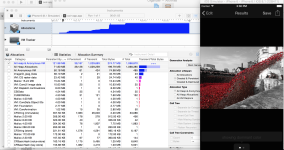
    The Profiler is Not That Scary

    Memory allocations is the one I’ve been working with most recently, but there is also a way to profile which parts of your code most time is spent in. I can see this being really useful. I used to be really intimidated by the profiler, but having spent more time with it, it’s OK [helpful tutorial].

    Performance Tests are Easy, but Slow

    I started adding performance tests, typically at stress sizes (10x the data I expect to process), using the (void)measureBlock:(void (^)(void))block function in XCTestCase [more info]. Each performance test runs 10x to give variance, and you can save a per-device baseline. Because these are my most time consuming tests I don’t want to run them when I’m developing against my tests so I moved them out into a separate target (that takes a few minutes to run) so that my core test target runs faster (<30 seconds).