Tag: Twitter

  • What Constitutes Spam on Twitter?

    What Constitutes Spam on Twitter?

    I don’t know if this is particularly harsh, but I consider anyone who regularly promotes the same website without declaring an affiliation to be a spammer. Sometimes a well-disguised spammer, kudos to that, but a spammer nevertheless. Note – this doesn’t include people promoting their blog on Twitter. I tweet posts from my blog that I consider to be particularly important, but by no means all. I figure if people were that interested, they’d be subscribing to my RSS feed. But I digress.

    Yesterday I was followed by @emmily67. As of now is following 2,001 and has 1,222 followers. She’s tweeting amusing little things like “Marriage is a relationship in which one person is always right, and the other is a husband.“, and “Life would be easier if you could mark people as spam“. Four of her links are the same site as the one in her bio, though, and some of the amusing phrases seemed to be running on repeat. So I, ah, marked her as spam.

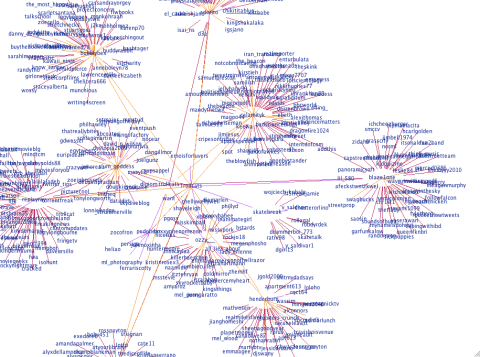
    However I’m interested in these kinds of Twitter users because I want to graph them (if you have any examples of this, let me know). So here’s hers:

    @emmily67's Twitter Conversation NetworkWhat do you think? Does this constitute spam? Or is it legitimate albeit self-promoting?

  • Twitter Graphs…cont

    Twitter Graphs…cont

    @RebekahHarriman:

    @RebekahHarriman's Twitter Conversation Network
    @RebekahHarriman's Twitter Conversation Network

    @RossIGrant:

    @RossIGrant's Twitter Conversation Network
    @RossIGrant's Twitter Conversation Network

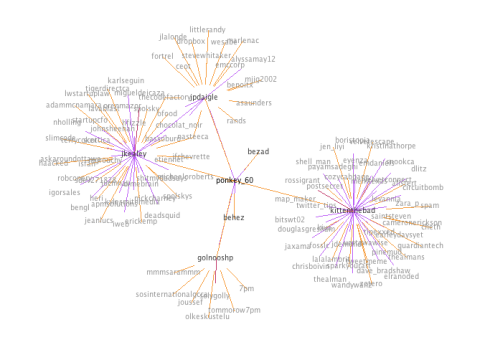
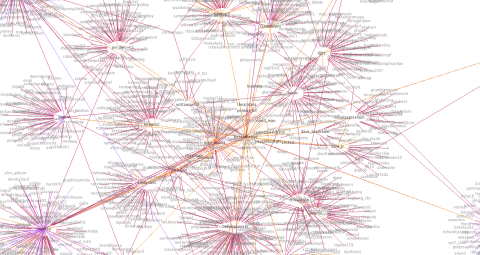
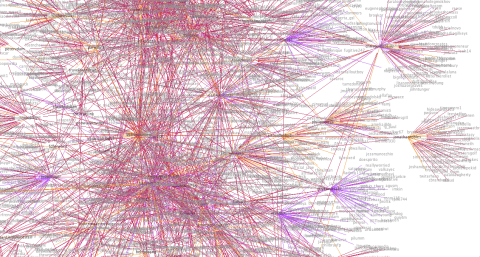
    @ponkey_60 – this one is interesting because usually she protects her tweets. She unprotected them for me so I could create the graph. I wonder if people with protected tweets typically have smaller networks?

    @ponkey_60's Twitter Conversation Network
    @ponkey_60's Twitter Conversation Network

    @douglasgresham:

    @douglasgresham's Twitter Conversation Network
    @douglasgresham's Twitter Conversation Network

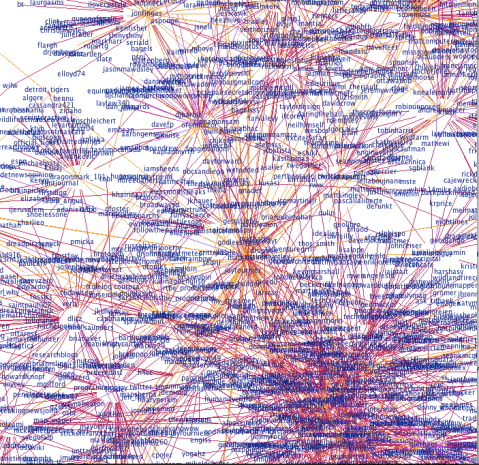
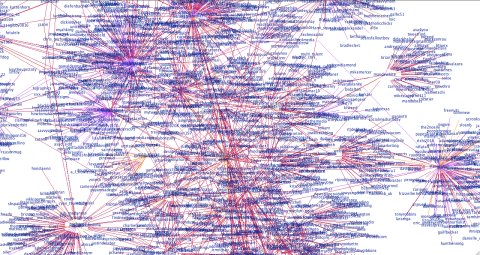
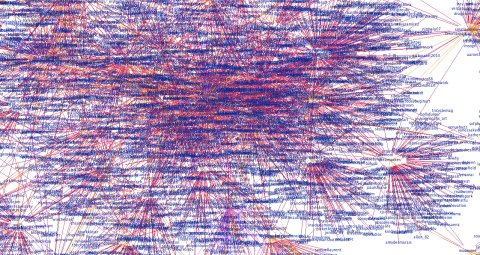
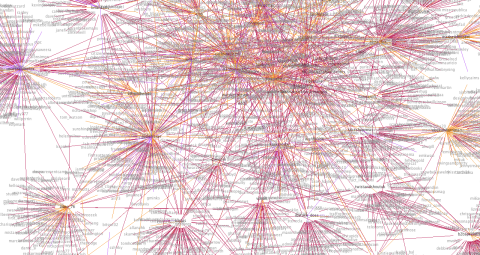
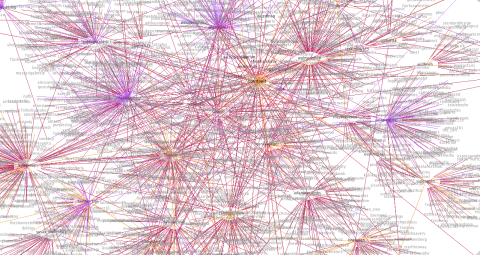
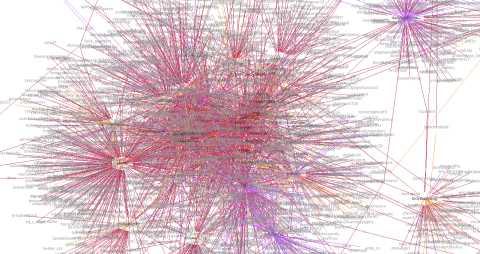
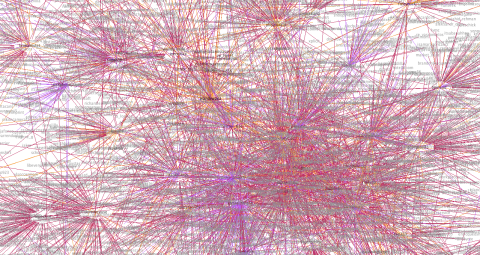
    @tgrevatt is having a lot of conversations!! With a lot of people who have a lot of conversations. This graph is fairly densely connected (next step is to be able to pull these networks out). There are a few purple links, which are likely to indicate things like ReTweets.

    @tgrevatt's Twitter Conversation Network
    @tgrevatt's Twitter Conversation Network

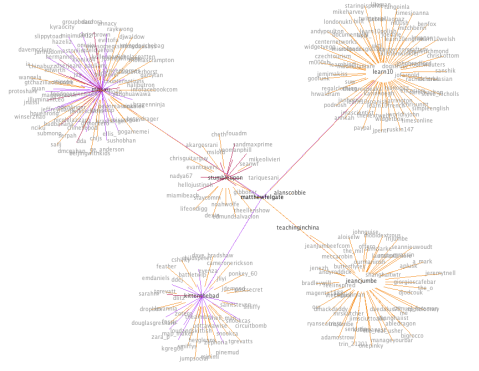
    @matthewfelgate:

    @matthewfelgate's Twitter Conversation Network
    @matthewfelgate's Twitter Conversation Network


  • Do Twitter Scammers Have Conversations?

    Do Twitter Scammers Have Conversations?

    I’d like to say a big thankyou to @CoureyGetsMoney for following me (3,109 Following 2,831 Followers). His bio reads:

    Thanks for checking out my page im a real cool guy making 12,000 a month working from home with GDI

    I suspect he’s lying about his income and about being a “real cool guy”. I also suspect he’s using auto-follow and is just trying to drive traffic to his scam. Lets check out his graph…

    @coureygetsmoney's Twitter Conversation Graph

    He’s not part of the conversation. Just a scammer. Spammer. Whatever. What does your graph say about you?

  • Visualizing your Twitter Conversations: Rationale

    Visualizing your Twitter Conversations: Rationale

    I’ve frankly been amazed by the number of hits I’ve had on my Twitter Graphs since I put them up yesterday. This is the first phase of something I’m working on, so I’m going to write a little about the logic behind it here. Suggestions or thoughts are very welcome!

    There was a time when follower counts meant something on Twitter. But that was probably before spammers, auto-follow (interesting article on how spammers and auto-follow have ruined the “social contract), and Robert Scoble‘s much hated “recommended list” (interesting post listing other people to follow who aren’t on the recommended list here). Now I think that looking at the number of people someone follows is a poor measure of their level of engagement with Twitter. Because I think a lot of what makes Twitter great is conversations it’s more interesting to me to measure those instead.

    To clarify – the graphs I’ve done have mostly gone to a depth of 1, which means that it graphs the central user (checks their last 200 tweets for people they’ve mentioned, and the last 100 tweets that have mentioned them), and then does the same thing for everyone they’ve mentioned or who has mentioned them, but goes no further (I am aware of the flaws in this, fix coming soon). This means that there could well be (and likely are) connections between second degree nodes from the center person, which aren’t shown. The application doesn’t use verification, so people with protected tweets will seem to have only one way relationships because any mentions they’ve made will not show up.

    Here’s my graph, below:

    @kittenthebad's Twitter Conversation Graph

    The yellow lines indicate a reciprocal relationship. Purple and red are one way relationships. It’s not always clear which direction it is in, but if you look at the “kittenthebad” node in the center, I mentioned “Zotero” (purple), but “unmasker” mentioned me (pink). If you look above to the left, you see my friends @zara_p and @douglasgresham and we have a little network going on there with a couple of other people we have in common. Below my node, you can see my friends @map_maker and @emdaniels and the people we have in common there too. So I think what my graph shows is that I’m primarily a conversationalist on Twitter and that most of the people I talk about, or to, I have a reciprocal relationship with. The other thing it shows, if you look at the number of people I’m following (57) is that the number of people I’m talking to is large relative to my network, about half.

    Now let’s take the last person who auto-followed me based on a keyword (lolcats), (please don’t click on this link if you’re easily offended) Trollcats . As of writing this, Trollcats has 2,660 following and 5,367 followers so you’d expect them to have a huge graph, right? See below:

    @Trollcats Twitter Conversation Graph

    Their network here is much smaller, they’re having fewer conversations and the people who they’re having conversations with mostly aren’t connected to one another. This suggests that they’re less engaged, and are using Twitter as more of a broadcast medium. However if they were getting ReTweeted a lot, their graph would look different. Remember @snookca (his graph is here). He has around twice as many followers, but his graph is exponentially more crazy – because he’s engaged with Twitter and having conversations.

    For a big broadcaster, see @guardiantech below – they’re not having a lot of conversations on Twitter but a lot of people are talking to or about them – likely they’re getting a lot more ReTweets:

    @guardiantech's Twitter Conversation Graph

    So why is this useful, or interesting? This is fairly new, so I can’t be sure yet but here’s what I think we’ll find. I think that graphs will be different, depending on how people use Twitter. Conversationalists, spammers, the uber-popular will have distinct patterns. I think that visualizing your network will show you sub-networks that may be surprising, and get a measure of how many sub-networks you’re a part of (the next step of this is – what are these subnetworks talking about?), and will also show which of your friends are “Twitter Connectors” (people who are in a lot of sub-networks). And I think as a result of this, visualizing someone who’s followed you will tell you a lot about whether you want to follow them back. Are they a spammer? Are they just broadcasting? How engaged are they relative to the number of people they’re following – if very, they’re likely following you because they want to strike up a conversation. If not much, they may just be following you in the hope you follow them back.

    This is written in Java and if you have some knowledge of programming and can run Eclipse it’s relatively easy to set up and run yourself. The source code is still being worked on, but I can make it available as-is to anyone who’s interested in running it.

  • Twitter Graphs

    Twitter Graphs

    UPDATE 9/10: Insight into how this works and the rationale behind this in this post.

    So after my last post I received a couple of graph requests.

    Here’s @map_maker‘s, see how I’ve added the directionality. This one took a long time to build. She talks to a lot of people who talk to a lot of people…

    @map_maker's Network
    @map_maker's Twitter Conversation Network

    And @emdaniels.

    @emdaniels Twitter Network Graph
    @emdaniels Twitter Conversation Network

    This is my boyfriends, @theAlMan. He doesn’t talk to that many people, so I dared to go to a depth of 2.

    @theAlMan
    @theAlMan's Twitter Conversation Network: Depth 2

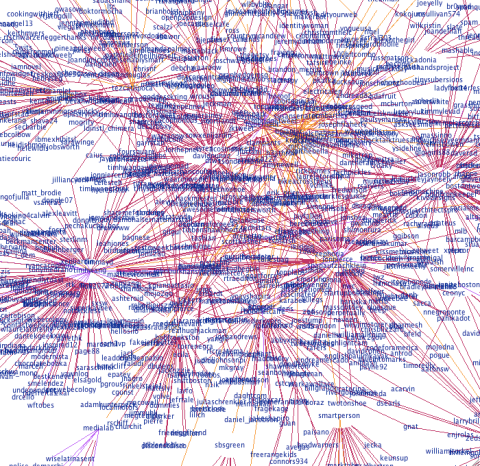
    My very popular neighbor, @snookca (depth 1 again). He caused a stack overflow…

    @snookca's Graph
    @snookca's Twitter Conversation Network

    @Circuitbomb (depth 1).

    @Circuitbomb's Conversational Twitter Network
    @Circuitbomb's Twitter Conversation Network

    @uOttawaWISE – we’ve not been on Twitter long, but our network is growing! Also – because this one is fairly small you can see the connections really nicely.

    @uOttawaWISE Twitter Network Graph
    @uOttawaWISE Twitter Conversation Network

    @bitswt02

    @bitswt02's Twitter Conversation Network
    @bitswt02's Twitter Conversation Network

    @chrisboivin:

    @chrisboivin's Twitter Conversation Network
    @chrisboivin's Twitter Conversation Network

    @jaxama:

    jaxama
    @jaxama's Twitter Conversation Network

    @cheth (another one to cause a stack overflow!):

    @cheth's Twitter Conversation Network
    @cheth's Twitter Conversation Network

    @sparkyourart (another stack overflow!):

    @sparkyourart's Twitter Conversation Network
    @sparkyourart's Twitter Conversation Network

    Sorry for the delay – I’ve been tweaking my algorithm to produce more balanced graphs. It now takes your last 200 tweets and last 100 mentions (due to search limitations this means there will not be any older than a week) and finds the oldest ID in each set. Then it takes the maximum of these and ignores any tweets older than this ID. I’ve also added node distance coloring, so that the central node is darkest and nodes further from the central node are lighter.

    Here’s how my graph looks now (let me know what you think!):

    My Twitter Conversation Graph with distance coloring and algorithm modifications
    My Twitter Conversation Graph with distance coloring and algorithm modifications

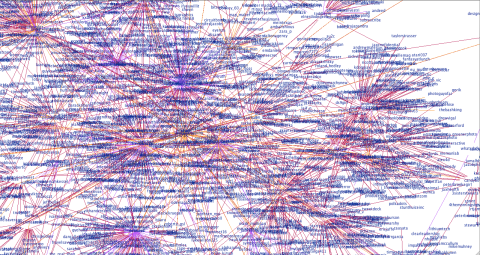
    So, @velvetescape and @velvetconnect come next. After hitting the API limit a couple of times (even after I’d tweaked the algorithm – @velvetescape talks to and about a lot of people) I had to do these a little differently. For @velvetescape I changed the depth to 0 so it’s just him and the people he talks to and who talk about him. For someone with this much conversation going on, though, I think it shows it pretty nicely.

    @velvetescape's Twitter Conversations - Depth 0
    @velvetescape's Twitter Conversations – Depth 0

    For @velvetconnect I just changed the number of recent tweets I request from the API. Normally I get 200 most recent tweets and the last 100 (or week) of mentions but this just wasn’t feasible so I cut these both in half.

    @velvetconnect's Twitter Conversation Network (reduced data from API)
    @velvetconnect's Twitter Conversation Network (reduced data from API)

    @EarleyDaysYet:

    @EarleyDaysYet's Twitter Conversation Network
    @EarleyDaysYet's Twitter Conversation Network

    @jdemond‘s is below. This one is nice – you can really see he’s part of two distinct networks, and that the network to the right has some sub-networks going on.

    @jdemond's Twitter Conversation Networks
    @jdemond's Twitter Conversation Network

    @tipexxed:

    @tipexxed's Twitter Conversation Network
    @tipexxed's Twitter Conversation Network

    @boristopia:

    @boristopia's Twitter Conversation Network
    @boristopia's Twitter Conversation Network

    @CozyCabbage:

    @CozyCabbage's Twitter Conversation Network
    @CozyCabbage's Twitter Conversation Network

    @LALALAMBRIT:

    @LALALAMBRIT's Twitter Conversation Network
    @LALALAMBRIT's Twitter Conversation Network

    @wandywanz:

    @wandywanz Twitter Conversation Network
    @wandywanz Twitter Conversation Network

    @dlitz:

    @dlitz's Twitter Conversation Network
    @dlitz's Twitter Conversation Network

    @KristinaThorpe – this one was interesting! I didn’t hit the API limit but I did run into problems with the visualization engine that prevented it from rendering – not sure why, but I think it may be due to the graph being very densely connected. I reduced the API data by 25% (last 150 tweets, last 75 mentions) and that fixed it!

    @KristinaThorpe's Twitter Conversation Network
    @KristinaThorpe's Twitter Conversation Network

    Graphs continued on this page.

    If you want your graph done, let me know via Twitter or in the comments and I’ll put it up here for you. Feel free to use the image anywhere you’d like (ask me for a higher quality one if you need to), but please link back to this! Thanks 🙂

  • Visualizing Your Twitter Network

    Visualizing Your Twitter Network

    Visualizing your Twitter Network

    This is what I’ve been working on lately – it graphs who you’re having a conversation with on Twitter (and who they’re having a conversation with). I’ve got some more stuff to add to it, but I’m pretty happy with how little time this has taken (coding time, perhaps 10 hours?).

    There were 3 phases to this mini-project.

    Phase 1: API calls to Twitter to get the data. This tutorial and code sample was helpful, as was the Twitter API documentation.

    Phase 2: Converting to GraphML. Pretty easy once I’d read the GraphML Primer and with the use of the W3 Schools XML validation.

    Phase 3: Visualize. Something that Prefuse makes incredibly easy, this graph is a modification of their example.

    Next

    • It’s a directed graph, and I want to color-code the edges so that conversations going out are a different color from those going in (and different again from reciprocal relationships).
    • I need to balance the conversations, at the moment it takes your last 200 tweets and last 200 mentions which obviously potentially skews the graph in both directions depending on the user.
    • I want to be able to define the depth. I think a depth of 3 is practical, but as it grows exponentially probably not more than that.
    • Then I’ll be working to turn it into a web applet so you can see your graph, too.
  • Why Twitter Isn’t a Pointless Waste of Time

    I love Twitter, but a lot of people seem to think it’s completely pointless. So I find myself having these conversations where I try and convince people it’s not completely stupid, actually I’ve even convinced a couple of them to give it a go. I’ve laid out my arguments below.

    Information Gathering

    There are tons of interesting people on Twitter, and you can have the news you want delivered right to your stream. The best way to leverage this aspect of Twitter is to follow people who tweet links to stuff you should know about – saving you the time of going out looking for it. Services like TweetMeme and TechMeme will ensure you hear about what’s generating a buzz too. If you’re sharing stuff, it’s less intrusive (and quicker!) than Facebook. I think it’s the one way nature of relationships lowers the barrier to creating a relationship, and you can always unfollow someone later if what they’re saying no longer interests you.

    Nice post about how “breaking news” can help your career here.

    Ambient Awareness

    I think it was O’Reilly’s The Twitter Book that said, if you don’t find someone’s food tweet interesting, it’s not for you. Honestly, there’s few – if any – people whose food tweets I care about! However I like that random aspects of my friends lives appear in my stream. They may not matter to many people, but living on another continent from most of the people I know I like this non-intrusive and low-effort way of keeping in touch with what they’re up to.

    Yes, Facebook has this too. But for things like geographically disparate work teams Twitter seems more appropriate. If I started work tomorrow on such a team and the people I worked with were on Twitter, I’d start following them right away. But it would take me much longer to connect on Facebook, if I did at all. Also the less-invasive nature of Twitter means that I’m happy to post multiple times a day, however I typically change my Facebook status less than 4 times a week.

    I love this article on ambient intimacy.

    Conversations

    According to Twanalyst, 55% of my tweets are conversation. I like the balance between real time and asynchronous conversation. Sometimes I have near real-time conversations with my friends, however if someone sends me an @ message after I’ve gone to bed – it’ll still be there the following morning and it’s OK to respond then. I can DM my friends if it’s important (or private) and if one of them DM’s me it goes to my cellphone and email. It’s like texting, but faster. And your other friends can see what you’re saying too and comment – good if you’re trying to organize a get together.

    And, of course, you can get into conversations with people you don’t know that well in real life too, which is cool. One of my friends, I met a conference and we got talking on Twitter – now we hang out in real life. I met one of my neighbors in the lift but then we connected on Twitter so when he tweeted something about not knowing what to cook for one, I invited him over for dinner.

    Customer Relationship Management

    If you’re a business, this is massive. Suppose a customer and their friend leave your store/restaurant and they’re not happy with the service they received. If you’re passionate about the service your customers receive you’d want to know what they were saying, wouldn’t you? Twitter means sometimes you can. That’s huge! If you license out a franchise and a lot of people in an area are complaining, you can start evaluating who you’ve leased your brand name to. On the up side, if people have a great experience they’ll be tweeting about that too. If you’re an online business, your word of mouth is so important as to whether customers will trust you – how much advertising is equivalent to one positive tweet from a highly connected individual?

    I wrote about this more in this post.

  • Social Networking

    I got an email from my dad the other day, asking me what I used Twitter for. I wasn’t sure why he was asking so I asked for clarification and got this response: “Just discussing Social Networking it would help to know why you use it and what you get from it”.

    “Social Networking” is a broad term, and not one that I’d actually use to describe what I’m doing when I am “Social Networking”. Right now, I wouldn’t say I’m “Social Networking” – I’d say I’m blogging. Or I’m Tweeting, or I’m on Facebook. These are all things I see as distinct activities, even if they make up what can be called, in a broader sense, my “social network presence”. For each of the “Social Networking” services I use on a regular basis, I have different goals and different things I get out of it – below I’ve written a little bit about what these are.

    This Blog

    There’s the odd bit of personal information on here, and those posts that are more personal than others but my goal here is to write about what I’m working on as it progresses, to share what I’m thinking about. It’s linked to my Brazen Careerist and LinkedIn profiles and my Twitter account, as well as being linked on my Facebook.

    Brazen Careerist and LinkedIn

    These are my “professional” profiles. I don’t have many contacts yet on Brazen Careerist (it’s a new site) but LinkedIn I use to add people I’ve worked with and collect and give recommendations. Brazen Careerist is cool in that it makes the RSS feed from this blog part of my profile. There’s an interesting Q&A session with Penelope Trunk (from Brazen Careerist) and one of the things she says is,

    A good way to think about Brazen Careerist is that LinkedIn focuses on experience and Brazen Careerist focuses on ideas. If you are young and short on experience, ideas is a better bet for you.

    Despite have no contacts on Brazen Careerist yet (I should sell it more to my friends), the site drives more traffic to this blog as LinkedIn does.

    Facebook

    Facebook for me is purely personal. I use it to share photos and organize events with my friends. Because of how we use it for WISE I’m a bit more careful about my profile picture etc now but my privacy settings are fairly high and I’m picky about what friend requests I accept, deleting people who I no longer speak to etc. I wrote more about my mixed feelings about Facebook in this post.

    Twitter

    Twitter is my favorite social network at the moment. I really love it. I use it for communicating with my friends and the ambient awareness of knowing what they’re up to. I also use it to crowd-source my news. Following people whose opinion I respect I get a range of interesting information and links that keeps me informed and on top of what’s going on through very little effort on my part. I tend to tweet about what’s going on and interesting stuff that I find on the web.

    Mycrocosm, 43 Places, Wakoopa and Last.fm

    These are all website where I track stuff. Mycrocosm is really cool, it’s like micro-blogging through graphs. At the moment, I’m logging everything I drink. On 43 places I track the places I’ve been and the places I want to go to. Wakoopa and Last.fm both run on my computer – Wakoopa tracks the applications I’m using and Last.fm tracks the music I’m listening to.

  • Your Customers on Twitter

    Your Customers on Twitter

    Twitter has a load of random uses. So far, I feel they fall into 4 categories: making things tweet, ridiculous, heart-warming and innovative.

    Making things tweet: an office beer tap, pets, plants, unborn babies, laundry machines, electricity consumption meter, the oven, a chaira rocket, a house, your server.

    Ridiculous: promote your brothel (Twitter might perhaps be a slightly too public medium for this to be that effective), “punk” your followers, send prayers to the “prayer wall” (believers would likely disagree with my categorization here), have a baby.

    Heart-warming: Foodies exchanging “twifts” on Twitter, averting suicide, #blamedrewscancer, proposing on twitter, honoring Dumbledore.

    Innovative: Restaurant reviews, test for paranormal abilities, burglars can use Twitter  to find out when you’re away and rob you (note, it’s the burglars being innovative, not the tweeter), reporting 311 (non urgent issues like potholes etc), travel tips, track down stolen bikes, sell your house (if you’re @Biz), explore sentiment, monitor the response to flying Air Force One over the statue of Liberty.

    It has some practical business applications too. Again, I’ve tried to split them into categories.

    Communicating: as a replacement or complement to job boards, a public message to your nemesis (Microsoft to Google), your competitor (Coca Cola and Pepsi), and the competition you describe as “a cancer” (Microsoft again – perhaps they changed their mind?)

    Promoting: Twitter is a natural platform for contests and giveaways, and it’s share of the marketing budget is growing, american eagle is one example, for a small business it can make a huge impact, other small business users using twitter for marketing. Real estate agents and even an individual selling her house have been using the service too. Pepsi now include their Twitter handle on the can.

    Money-making: traders use Twitter to help read the markets, sponsored tweets, affiliate fees.

    Interesting article on 10 ways Twitter will change business is this one (from TIME). Quote:

    As Twitter grows, it will increasingly become a place where companies build brands, do research, send information to customers, conduct e-commerce and create communities for their users. Some industries, like local retail, could be transformed by Twitter — both at one-store operations that cater to customers within a few blocks of their locations and at the individual stores of giant retail operations like Wal-Mart (WMT).

    I think the biggest potential of twitter is to hear what you’re customers say about you to their friends. If you know what your word of mouth is… that’s phenomenal. There’s an interesting paper studying this.

    Businesses have no excuse not to be on Twitter. See all the crazy things people are doing! Getting on there and tweeting the odd promotion or bit of company news shouldn’t seem like a big deal. Now, I make a point that when I have a mediocre experience somewhere – I tweet it. For instance, I had something really gross at Cora’s the other week, followed by lousy service when they mentioned “next time”. Buddy, there will be no next time! So I tweeted
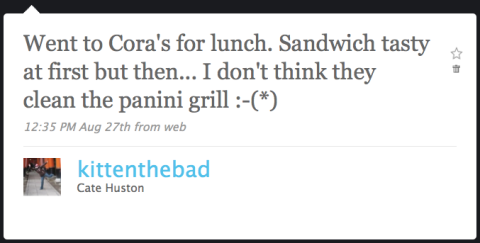
    Brunch at Cora's was a mistake

    No response – but who cares? To be fair, when I have a great experience with a company I tweet it too. @Zappos were really good, and I twittered as much.

    My supervisor has been having some issues with the Ning social network he set up for his class. They’d tried various means of reporting the problem – no response. I said, Twitter it. So I (and two of my office mates) did. Response:

    Response from Ning

    They get it. The opportunity to know what word of mouth you’re getting – big deal. And for customers – the opportunity to ask the question, flag the problem, and get a quick response? Isn’t that what CRM is all about?

    We’re still waiting for Ning to resolve the issue, so we’ll see whether it translates into action. But still – a response is a start. If you want to see a company getting it wrong, search on “purolator” to see a stream of customer frustration. Their empty twitter account suggests they’re doing nothing about it.